Roles
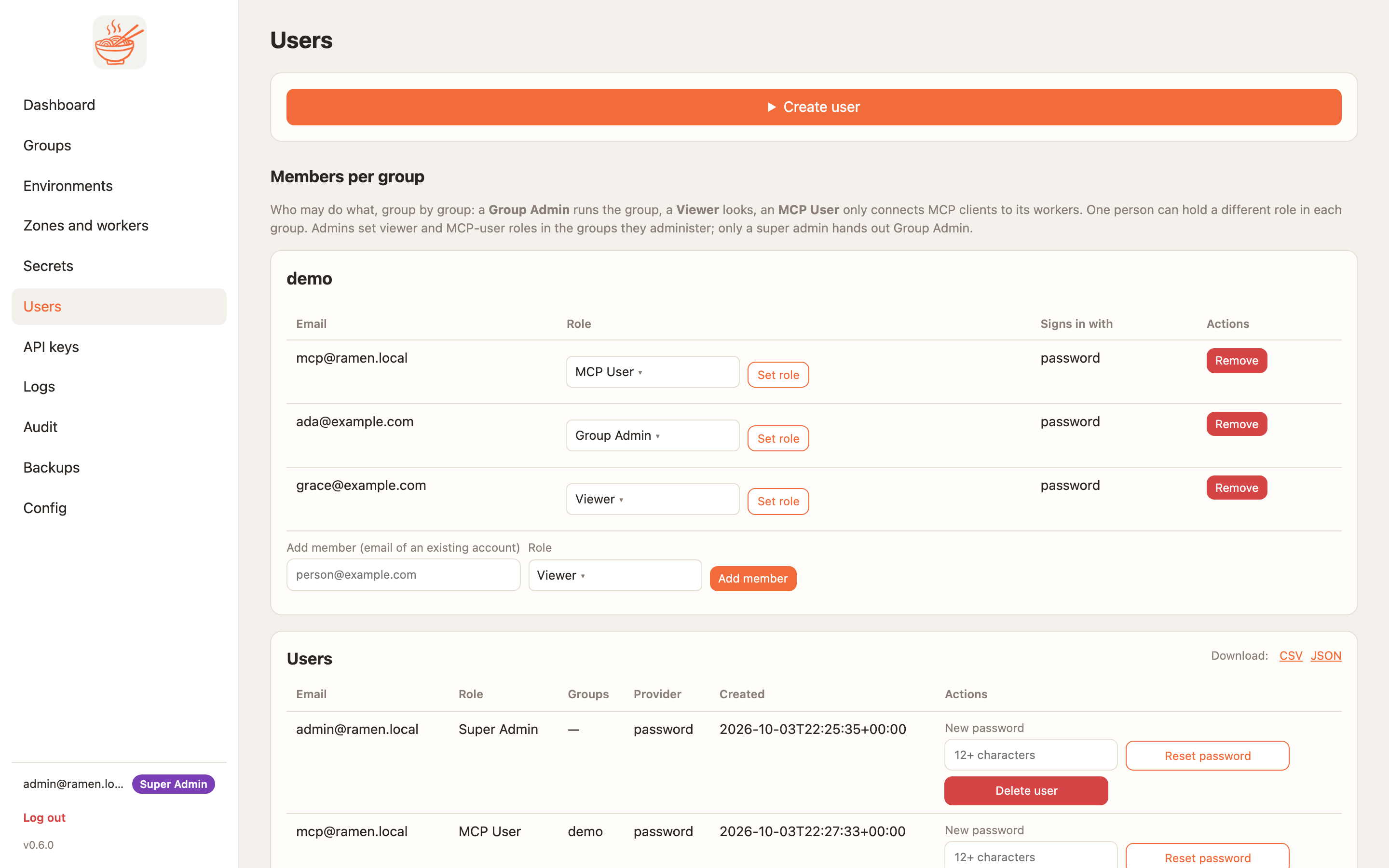
A person holds a role in each group; super admins are global. One person can be a Group Admin of one group, a Viewer of another and an MCP User of a third. Machines use keys instead of roles. This page is the summary; the full rules, custom roles, identity-provider mapping and service-account approvals are on Users and access.
Who is who
| Role | Scope | Typical holder |
|---|---|---|
| Super admin | the whole console | platform operators |
| Group admin | one group | the team that owns a repo |
| Viewer | one group | people who watch deploys and load |
| MCP user | one group | people who only connect an MCP client |
Custom role, e.g. analyst |
one group | a role a super admin defines on a base (Group Admin, Viewer or MCP User); it can do what its base can, can be OAuth only, and is a separate kind for per-tool access |
Group key (rmk_) |
one group's workers | agents, automation, CI calling tools |
API key (rmn_, client type devops) |
the console API, with a role and groups no wider than its creator's | CI deploys, scripts |
The built-in role names in the API are super_admin, group_admin, viewer and mcp_user. analyst is not built
in: it is the custom role (base Viewer) the docs, the screenshots and the test harness use as an example.
What each may do
| Super admin | Group admin | Viewer | MCP user | Group key | |
|---|---|---|---|---|---|
| Users, groups, Config page (identity providers, roles, org LLM providers, telemetry, regions, clusters), API keys, backups, audit | yes | — | — | — | — |
| Worker sizes and the sizes a zone allows | yes | — | — | — | — |
| Environments, zones and workers page | everything | environments and zones wholly within their groups | — | — | — |
| Deploy, worker counts and max, sleep, IP rules, throttle, rebalance, tool access, blocked names | yes | yes | — | — | — |
| Secrets, MCP keys (mint, revoke) | yes | yes | key names only | — | — |
| Evals, Scans, Guardrails cards; the group's own LLM providers | yes | yes | — | — | — |
| Members of the group (below admin); request a cloud permission for a zone | yes | yes (cannot approve their own) | — | — | — |
| Group page: environments, deploy jobs and logs, packages, apps and skills, badges | yes | yes | yes | — | — |
| Scan report, app preview, worker logs | yes | yes | yes | — | — |
| LLM configs page and Accept | yes | yes | yes | yes | accepted by the admin who minted it |
| Sign in an MCP client (OAuth) for the group's zones | yes | yes | yes | yes | — |
| Call the group's tools, prompts, resources | per tool access | per tool access | per tool access | per tool access | per tool access (kind key) |
Send client telemetry to /otlp |
yes | yes | yes | yes | yes |
Notes:
- A member of another group is refused (
403) on all of this; a person with no membership sees only their own account page. AnagentAPI key (rmk_) is a worker credential and is refused by every console route; adevopskey follows the role and groups it was minted with on the API. - Tool access is per environment: for each tool, which kinds (roles, custom roles, keys) may list it and which may call it. A custom role matches an entry naming it or its base, so it never has less than its base. The node enforces it on both transports; workers learn changes on the next deploy.
- Acceptance. When the group repo carries
mcp/llm-config/, every person accepts the current version (configs page or the OAuth consent page) before a token or key is handed out; a group key counts as accepted by the admin who minted it, so that admin must have accepted first (LLM configs). - The access matrix above is asserted per role and route by
tests/conformance/test_security_matrix.pylocally andtests/cloud/test_auth_matrix.pyon each cloud, from one table (tests/src/ramen_tests/access_matrix.py).
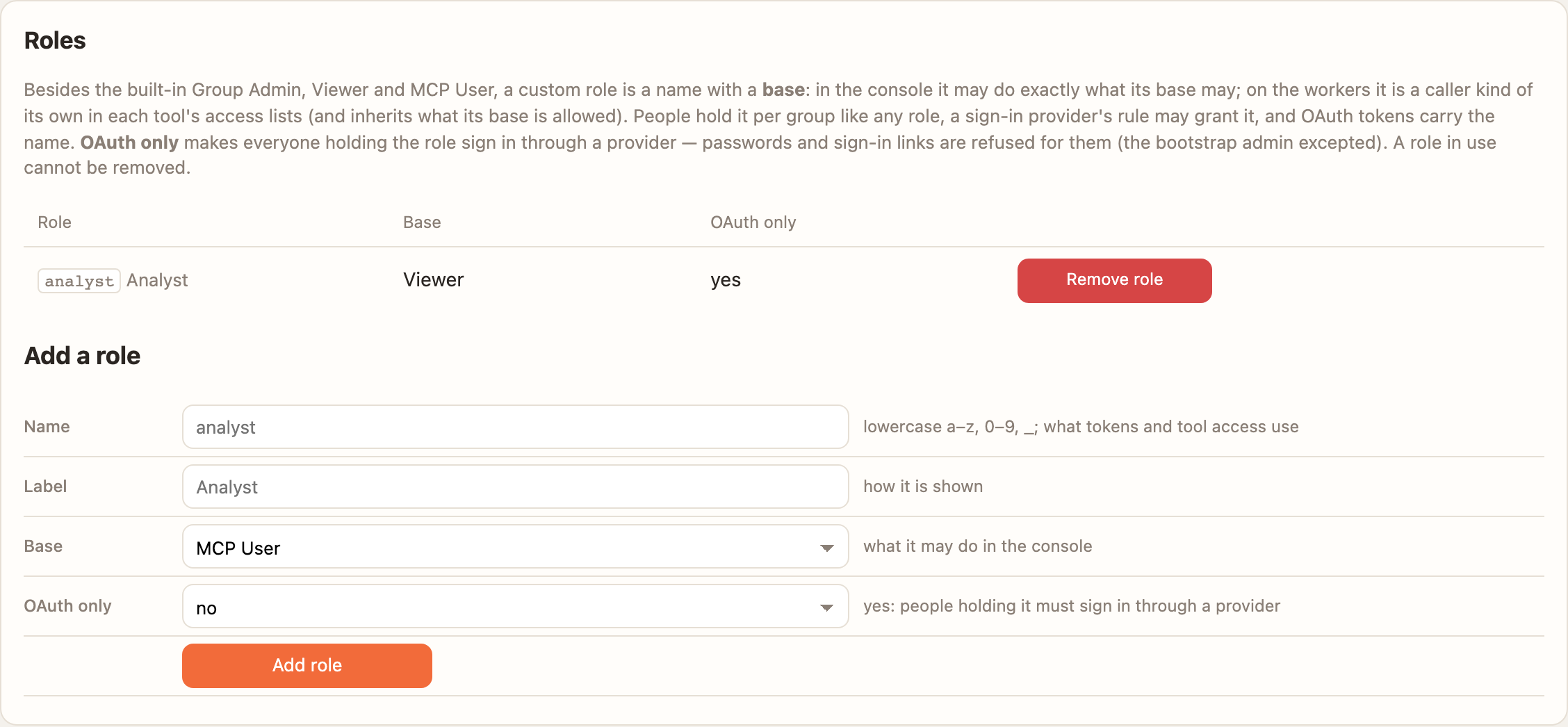
analyst role on the Viewer base, OAuth only.Where a role comes from
An admin sets it on the Users page or through the API, or an identity provider's rule decides it at sign-in (Entra ID or Google Workspace groups mapped to roles per group). Both are kept; where both name a group, the admin's entry wins. Every role, group or password change ends the person's open sessions and refresh tokens at once. Entra ID and Google Workspace.