Deploy on GCP
A regional GKE Autopilot cluster, Firestore, a bucket, Secret Manager and a global HTTPS load balancer with a
Google-managed certificate on a free sslip.io hostname. About 25 minutes, most of it waiting for GKE and the
load balancer. Every release is run this way on a throwaway project and torn down the same day.
Cost while it runs: the Autopilot pods (around $0.05 an hour for the console and two small workers, plus the control-plane fee after the free tier), the load balancer forwarding rule (around $0.025 an hour), a static IP and Artifact Registry storage.
Prerequisites
gcloud logged in with billing linked, terraform 1.6 or newer, helm 3.12 or newer, kubectl with
gke-gcloud-auth-plugin, docker with buildx, grpcurl, uv, openssl, python3.
1. Project and credentials
export RAMEN_GCP_PROJECT=ramen-test-$(date +%y%m%d) REGION=us-central1
export RAMEN_BILLING_ACCOUNT=<your billing account id>
scripts/gcp_test_project.sh create        # skip this and set RAMEN_GCP_PROJECT to a project you already have
PROJECT=$RAMEN_GCP_PROJECT; gcloud config set project $PROJECT
gcloud auth application-default login     # Terraform; or export GOOGLE_OAUTH_ACCESS_TOKEN=$(gcloud auth print-access-token)
The script reads RAMEN_GCP_PROJECT and RAMEN_BILLING_ACCOUNT, and refuses to run without the billing account.
2. Infrastructure
cd deploy/terraform/gcp && cp terraform.tfvars.example terraform.tfvars   # set project and region
terraform init && terraform apply
cd ../../..
Terraform creates the cluster, Firestore, the Artifact Registry repo, the groups bucket, a static IP, the
certificate map, and the console's service account with the access described below. It takes about ten minutes.
The outputs you need later are public_hostname, certificate_map and artifact_repo.
3. Images
This builds and pushes console and worker images tagged with the release. A push from a Colima or Lima
Docker can fail with broken pipe on one layer. If it does, docker save the image and push it with crane.
4. The console
gcloud container clusters get-credentials ramen --region $REGION
HOSTNAME=$(terraform -chdir=deploy/terraform/gcp output -raw public_hostname)
CERTMAP=$(terraform -chdir=deploy/terraform/gcp output -raw certificate_map)
kubectl create ns ramen-system
kubectl label ns ramen-system ramen.io/routes=true      # the Gateway admits routes from labelled namespaces only
helm upgrade --install ramen deploy/helm/ramen -n ramen-system \
  --set project=$PROJECT,region=$REGION \
  --set gateway.certificateMap=$CERTMAP \
  --set console.env.RAMEN_PUBLIC_URL=https://$HOSTNAME \
  --set console.secrets.RAMEN_ADMIN_PASSWORD=$(openssl rand -base64 18) \
  --set console.secrets.RAMEN_FERNET_KEY=$(python3 -c 'import os,base64;print(base64.urlsafe_b64encode(os.urandom(32)).decode())') \
  --set console.secrets.RAMEN_ADMIN_KEY=$(openssl rand -hex 24)
kubectl -n ramen-system rollout status deploy/console
curl https://$HOSTNAME/readyz        # {"ok":true,"store":"firestore","version":"0.6.0"} once the certificate is active
Keep the three generated values in a password manager. RAMEN_PUBLIC_URL is the address people use and the OAuth
issuer the workers trust. The Gateway reports PROGRAMMED after about five minutes and the managed certificate
turns ACTIVE a few minutes later.
5. The first zone, group and deploy
Open https://<public_hostname>/ and sign in as admin@ramen.local with the password you generated. The
certificate is publicly trusted, so there is no warning.
- Zones and workers → Add zone: name
a, providergcp, regionus-central1-a. The region is the GCP zone the workers pin to. - Groups → Create group: name
demo, repohttps://github.com/bkraad47/ramen-demo-mcp-group, refmain. - Open the group → Add environment: name
prod, tick zonea. This creates the namespaceramen-demo-a, its service account with Workload Identity, the Service with a network endpoint group, and a route that matches theramen-group: demoandramen-zone: aheaders. - MCP auth keys → Generate key. The key is shown once.
- Deploy (canary). The job log reads sync, canary, reload, smoke, stable.
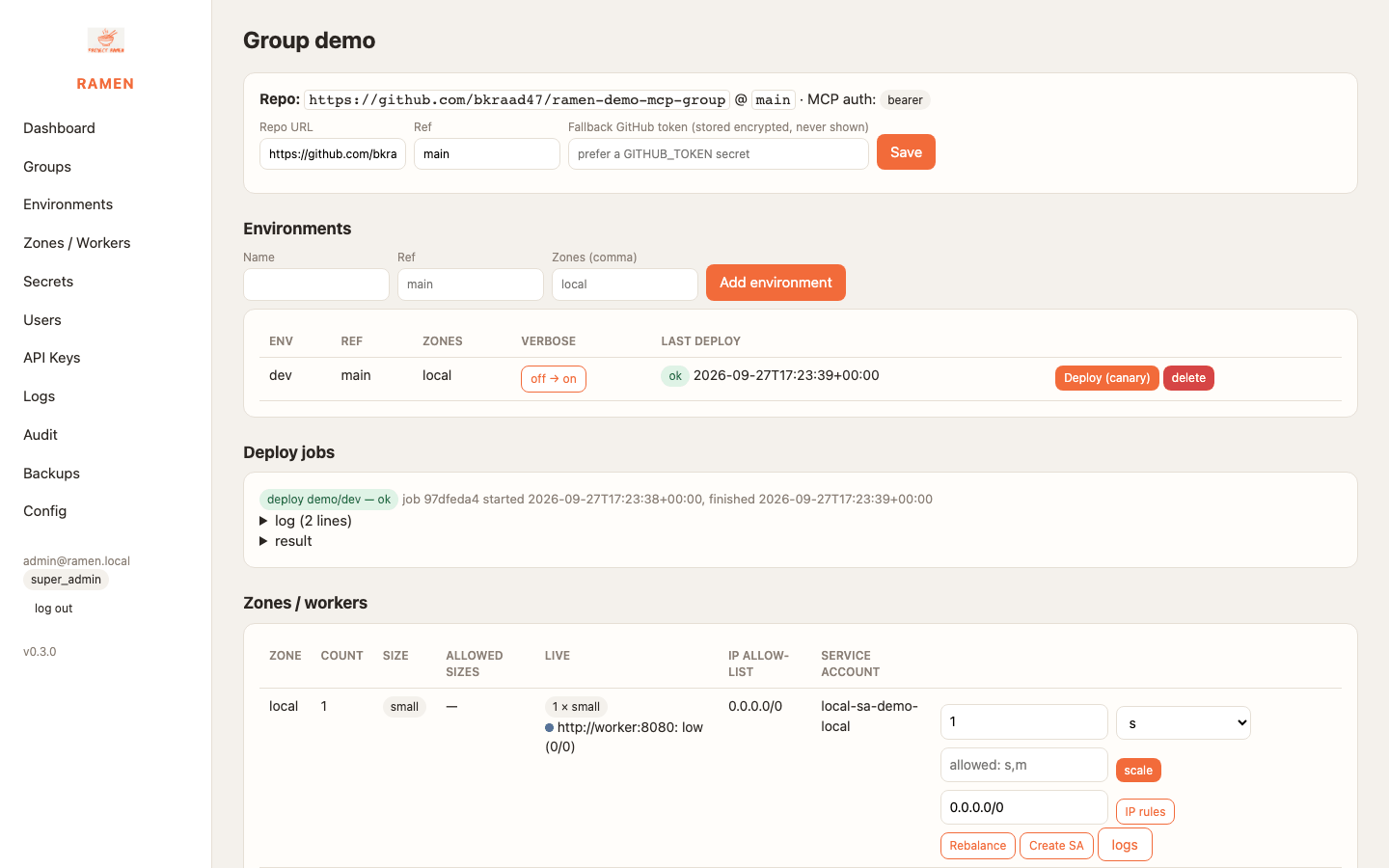
The route takes a few minutes to appear (see Gotchas). Then:
curl -s https://$HOSTNAME/mcp -H "Authorization: Bearer $RAMEN_MCP_KEY" -H 'Content-Type: application/json' \
  -H 'ramen-group: demo' -H 'ramen-zone: a' \
  -d '{"jsonrpc":"2.0","id":1,"method":"tools/call","params":{"name":"demo_calculator_tool","arguments":{"var1":2,"var2":3,"func":"add"}}}'
scripts/cloud_smoke.sh https://$HOSTNAME admin@ramen.local '<password>' '<admin key>' $HOSTNAME:443 runs the
same steps and prints PASS or FAIL for each. The last argument is the gRPC target, and the script needs
grpcurl.
The console's service account and access controls
Terraform gives the console's identity ramen-console@<project> the least it needs:
| It may | How |
|---|---|
| Create, delete and bind the per-zone service accounts | roles/iam.serviceAccountCreator, serviceAccountDeleter, serviceAccountUser, and a custom role with setIamPolicy on service accounts. IAM cannot scope that by name, so the limit to ramen-<group>-<zone> accounts is enforced by the console, not by IAM |
| Read and write the groups bucket | roles/storage.admin on that one bucket |
| Manage group secrets | roles/secretmanager.admin, used only on secrets named ramen-<group>-* |
| Use Firestore and read logs | roles/datastore.user, roles/logging.viewer |
| Program the load balancer and Cloud Armor | roles/compute.loadBalancerAdmin, roles/compute.securityAdmin |
| Reach the cluster API | roles/container.developer project-wide; inside the cluster a ClusterRole for namespaces, network policies and routes, and a namespaced Role in every zone it attaches |
It cannot grant project-wide roles. A permission request that needs one, such as logs.write, is recorded with a
note unless you set console_project_iam = true in Terraform.
Each zone's workers run as ramen-<group>-<zone>@<project> through Workload Identity. That identity reads the
group's prefix of the bucket and the group's secrets, and nothing else until an admin requests more and another
admin approves it. Users and access covers that flow.
Day 2
- Scale: the group page's Zone actions card. Admins set the count; super admins set the size and the sizes a zone allows.
- IP rules: a CIDR list per zone, in the group page's Zone actions card. It becomes the node's own allow-list and a Cloud Armor policy. The policy is one per group, attached to each of its zones' backends, so two zones of a group share the edge rule while their node allow-lists stay separate. Include the console's own range: a deploy smoke-tests the worker like any other client (Groups, zones and regions).
- Logs: Cloud Logging for the namespace, on the Logs page. External monitors read the same logs with
resource.labels.namespace_name="ramen-<group>-<zone>". - Upgrade the console:
make push, thenkubectl -n ramen-system rollout restart deploy/console.
Teardown
# in the console: delete the group, which removes its namespaces, service accounts and routes
helm uninstall ramen -n ramen-system
terraform -chdir=deploy/terraform/gcp destroy
scripts/gcp_test_project.sh delete            # deletes the whole project
Gotchas
- The Gateway programs a new route in two to seven minutes. Until then the zone's
/mcpanswers404from the console. - A dropped zone's namespace can sit in
Terminatingfor ten minutes or more while the Gateway controller garbage-collects its backend service. If it never clears, find it withgcloud compute backend-services list --filter=ramen-<group>-<zone>and delete it by hand. - Gateway-managed backend services report "not ready" for minutes after a rollout. Rebalance and IP rules answer
applied: falsewith a note and retry in the background. - A client that omits the two headers gets a
404from the Gateway, not a worker error.