Connect a client with OAuth
No shared key. The client sends you to the console, you sign in the way you always do, you approve the client once for a group and a zone, and every call runs under your name. The console is the OAuth 2.1 authorization server: PKCE, pre-registered public clients, no client secret, no dynamic registration.
What an admin does once
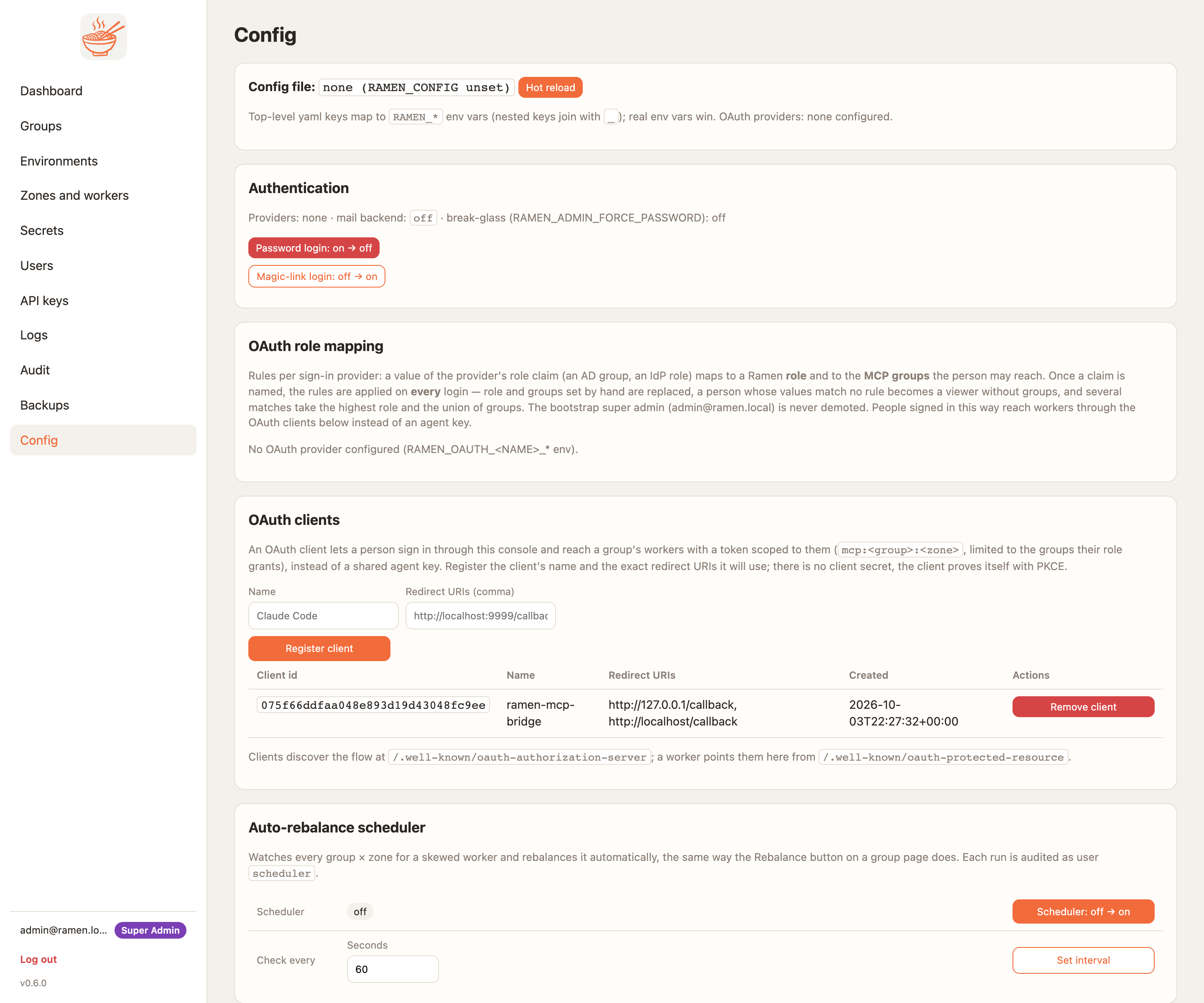
- Config → OAuth clients → Register client: a name and the redirect URI. Any loopback name and port is
accepted, so
http://localhost/callbackcovers Claude Code, Claude Desktop, Cursor and the bridge. The client id appears in the table. - Give the person a role in the group on the Users page. MCP User is enough.
What the person does
claude mcp add-json ramen-demo '{"type":"http","url":"https://<edge>/mcp",
  "headers":{"ramen-group":"demo","ramen-zone":"a"},
  "oauth":{"clientId":"<client id>","scopes":"mcp:demo:a"}}'
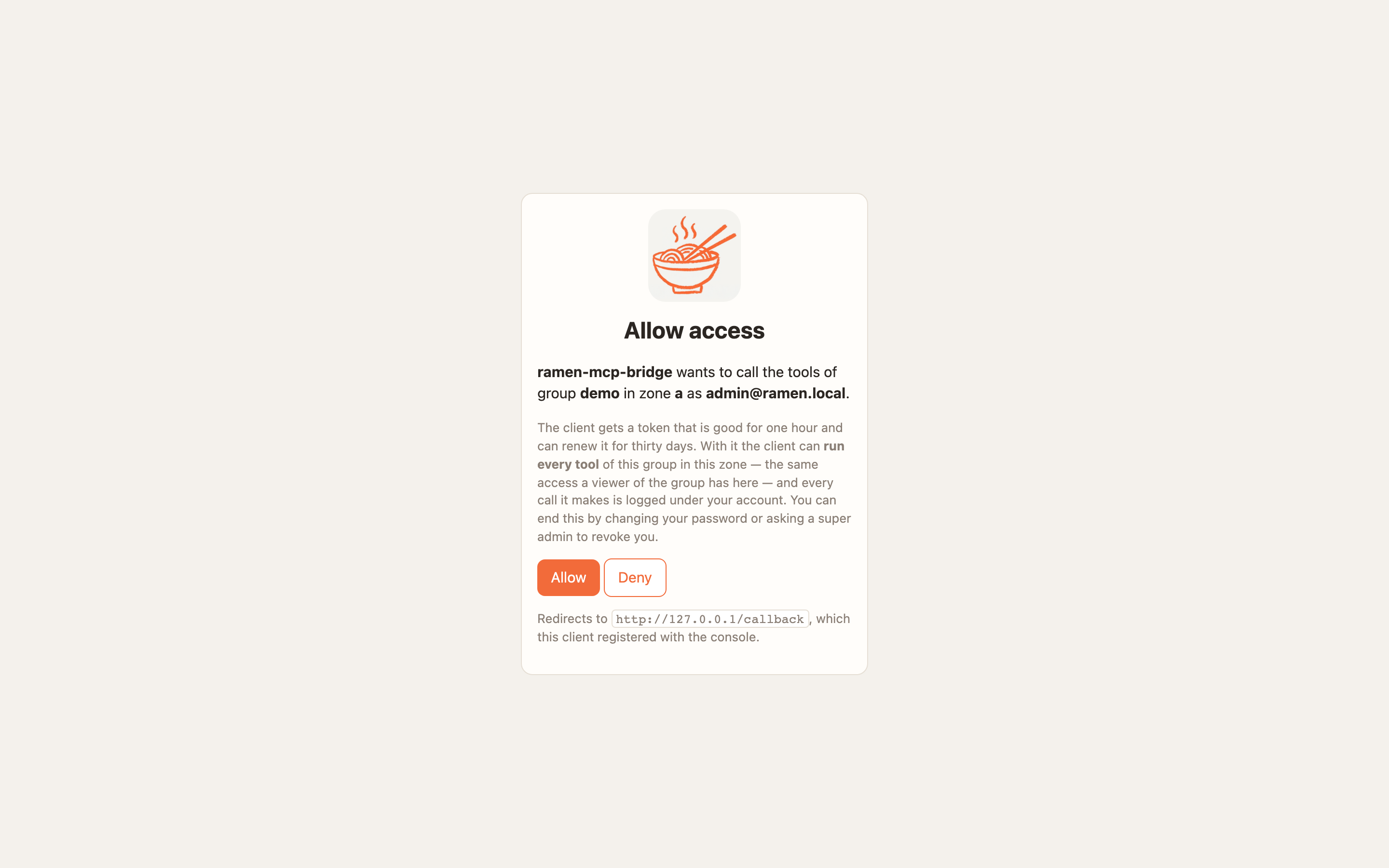
/mcp in Claude Code, pick ramen-demo, sign in. The browser opens the console's login page and then
the consent page.
These clients find the flow by themselves from the worker's 401 and its
/.well-known/oauth-protected-resource document, but the console does not support dynamic client
registration, so they have no way to obtain a client id on their own and need one configured out of band.
Untested. Until it is, give these clients a group key, or run them through the bridge, which takes
--client-id.
pip install ramen-mcp-bridge
ramen-mcp-bridge --target <edge>:443 --tls --oauth https://<edge> --client-id <client id> --group demo --zone a
{"mcpServers": {"ramen-stdio": {"command": "ramen-mcp-bridge",
  "args": ["--target", "<edge>:443", "--tls", "--oauth", "https://<edge>", "--client-id", "<client id>", "--group", "demo", "--zone", "a"]}}}
~/.config/ramen-mcp-bridge/ with mode 0600,
and later runs need no browser. --no-browser prints the sign-in URL instead.
What the token is
An access token lives one hour and names the person, the group and the zone (mcp:demo:a). The worker verifies
it on its own, without calling the console. The refresh token lives thirty days, rotates on every use and dies
when the person's role, password or account changes. The token runs every tool of the group in that zone, the
same reach as a group key, with the person's name on every log line.
The worker's access log shows user:<id> instead of a key id. The Audit page has the client registration and
every consent decision.
What can go wrong
| Symptom | Cause |
|---|---|
| The client never opens a browser | The worker's metadata URL is relative because RAMEN_PUBLIC_URL was not set at install. The deploy log says "OAuth tokens are off for this worker". Set it and redeploy. |
404 on the metadata request |
The client did not send the ramen-group and ramen-zone headers, so the load balancer had no zone to route to |
| The consent page says you have no access | Your account has no role in that group |
401 after a while |
The refresh token ended because your role or password changed. Sign in again |