Groups, zones and regions
| Term | What it is | Who manages it |
|---|---|---|
| Group | A team. One git repo at a ref, one bucket prefix, its secrets, keys, members and service-account rules. Deleting a group destroys its cloud resources. | Super admins create and delete; group admins run it |
| Environment | The group at a git ref, deployed to a set of zones, with a verbose flag, a blocked-package list and the last deploy result. | Group admins |
| Zone | Where workers run. A Kubernetes namespace ramen-<group>-<zone> pinned to a cloud zone, with its own service account, load-balancer route and IP rules. local is the compose worker. |
Super admins create zones; group admins attach them to environments |
| Worker | One pod: the Rust node and the Python runtime. Two tracks per zone, worker and worker-canary. |
Count by admins; size by super admins |
Zones and regions
A zone has a name, a provider and a region. The region is the cloud location the workers pin to: a GCP zone such
as us-central1-a, or an AWS availability zone such as us-east-1a. The cluster is regional; a zone is one
location inside it. Two zones in two locations is what makes a group highly available: a client that fails on
ramen-zone: a retries with ramen-zone: b and reaches a different set of pods behind the same hostname.
Zones and workers → Add zone creates the record. Nothing runs until a group attaches the zone to an environment and deploys. The page lists every zone and the worker counts per group.
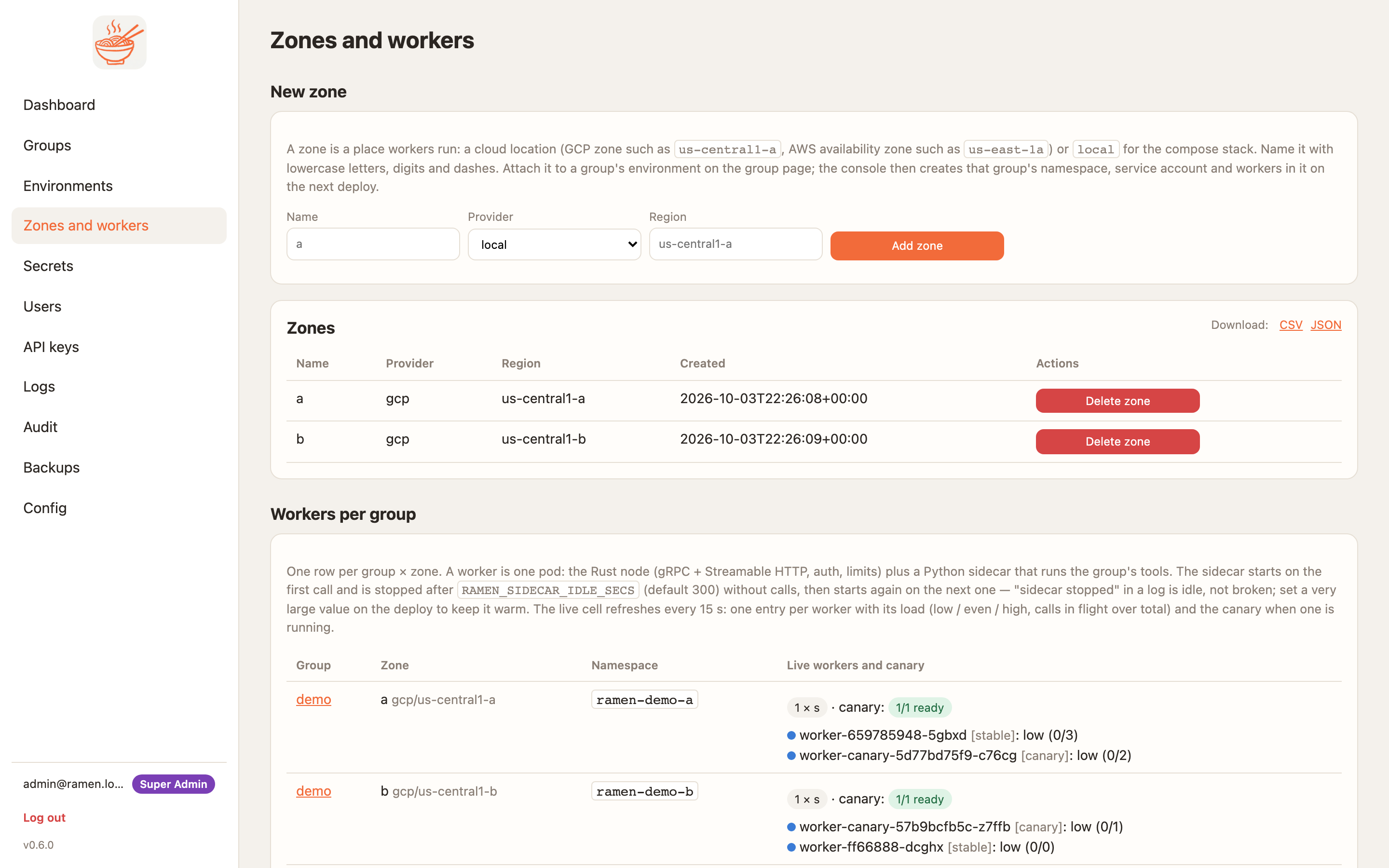
A zone that is deleted, or dropped from the last environment that used it, is torn down for real: the namespace, its pods and routes, and the zone's service account or IAM role.
Creating a group
Groups → Create group with a name, the repo URL and the ref. A private repo needs a secret named GITHUB_TOKEN
on the group, or a GitHub App installation id with the App configured on the Config page. The console clones;
workers never do.
The group page is where the group lives: environments, deploy jobs, zones and workers, the packages each zone serves, service-account permissions, MCP keys, the worker image and restrictions.
Environments
Add environment on the group page: a name, a ref and the zones, picked from a checkbox list of the zones that
exist. Any group admin may attach any zone that exists, so a zone is a shared resource: a super admin decides
which zones exist at all, and that is the control over where a group can run. dev can follow main while prod sits on a tag. Rolling back is deploying the older ref.
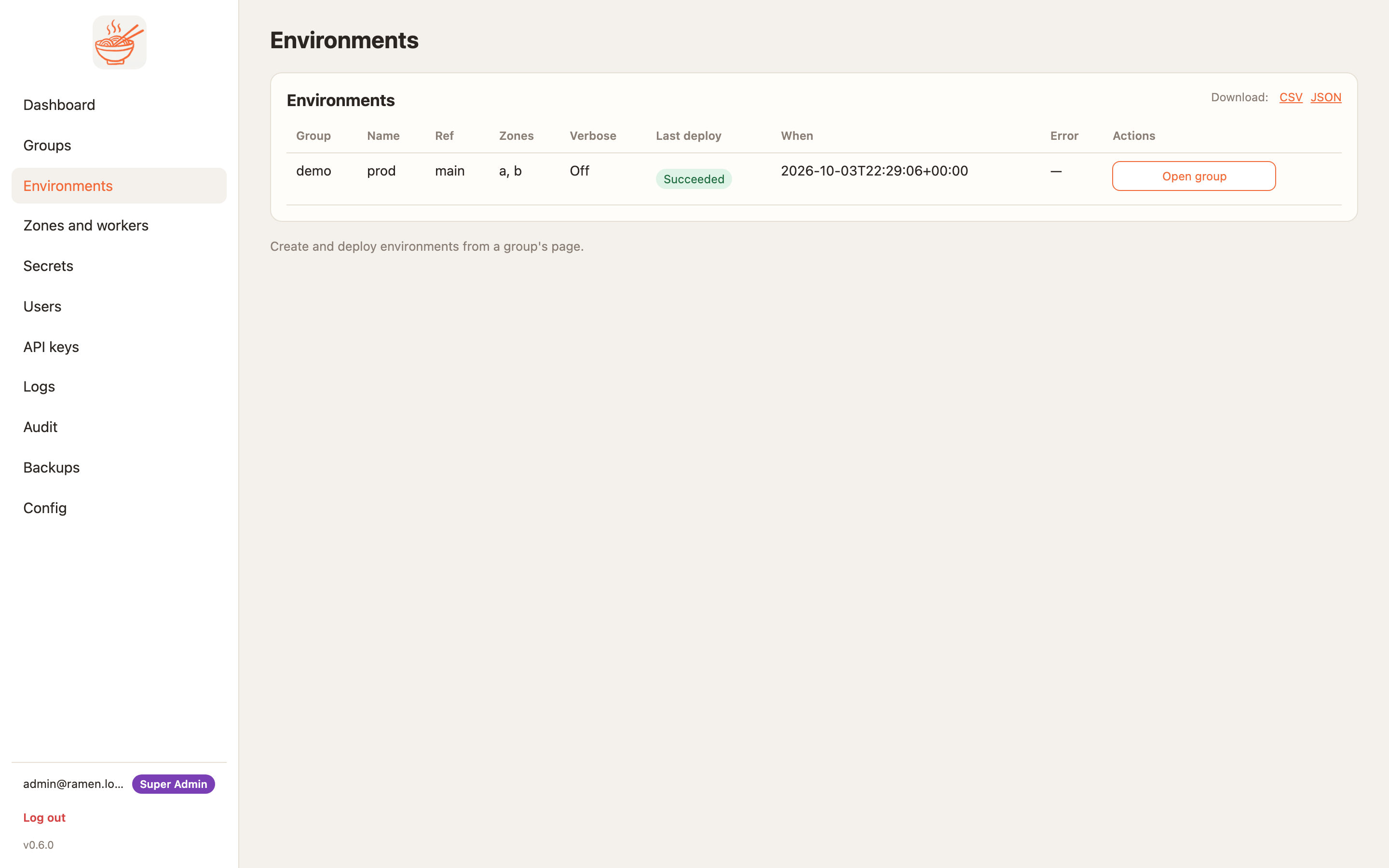
The Environments page lists every environment you can see, across the groups you belong to, with the last deploy flattened into the row: the outcome, when it ran, and the error if it failed. Open group goes to where deploys are started.
Deploying
Deploy (canary) on an environment runs, per zone:
- Sync the repo at the ref into the group's bucket prefix.
- Write config: the zone's Secret with the MCP keys, the secrets scoped to this environment and zone, the blocked list, the verbose flag and the IP rules.
- Canary: restart
worker-canaryin place and wait for it to be ready. - Reload and smoke: the canary pip-installs if
requirements.txtchanged, loads the packages, then answerstools/list. - Stable: restart
workerand wait.
Any failure in steps 3 to 5 scales the canary to zero and leaves the stable pods untouched. The job log on the group page shows each step. A stuck rollout names the pod that is not running and the scheduler's reason.
Scaling and sizes
The group page's Zone actions card sets the worker count per zone. The autoscaler keeps at least that many pods and at
most twice as many. Super admins set the size (s 250m CPU and 512Mi, m 500m and 1Gi, l 1 CPU and 2Gi)
and the sizes a zone allows.
Rebalance
The dashboard shows a load cell per zone and group: low, even, high or down, from each node's in-flight
count, where low is under 30% of the node's in-flight cap and high is over 80%. Rebalance in Zone actions adjusts the load balancer: on GCP the backend's capacity scaler, on AWS the
target-group weights. While the Gateway is still reconciling it answers applied: false with a note and retries
in the background. A super admin can turn on the auto-rebalance scheduler on the Config page; each run is
audited as scheduler.
Packages per zone
After a deploy the group page lists what each zone reported: tools, resources and prompts with their schemas.
Disable a package on one zone, or add it to Blocked everywhere on the environment. A blocked name
disappears from tools/list and answers the JSON-RPC error -32601 until it is enabled again. The node enforces
it, so a bad tool can be pulled without a code change.
IP rules
IP rules in the group page's Zone actions card takes a CIDR list. It becomes the node's allow-list and an edge rule: a Cloud Armor policy per group on GCP, a WAF IP set per group on AWS. The Cloud Armor policy is one per group, so two zones of the same group share the edge rule even though their node allow-lists stay separate. An empty list allows every source. Include the console's own range, because a deploy smoke-tests the worker as an ordinary caller. Changing rules rolls the zone's pods.
Deleting
Deleting an environment tears down its zones' deployments for the group. Deleting a group tears down everything
it owned, in every zone. On GKE a namespace can sit in Terminating for a while; Deploy on GCP
says what to do if it never clears.