Backups
A backup is a JSON export of six collections: groups, zones, environments, worker records, users and configuration, tagged with the release version.
It carries no secrets and no keys of any kind — not their values and not their names. Secret records, MCP keys and API keys are not in the export at all. Restoring over a live console leaves them alone, because the restore only touches the six collections. Restoring into a fresh console gives you the groups and the people, and you then re-add every secret and generate new keys. Password hashes and GitHub tokens are likewise absent and are kept from the live document on a merge.
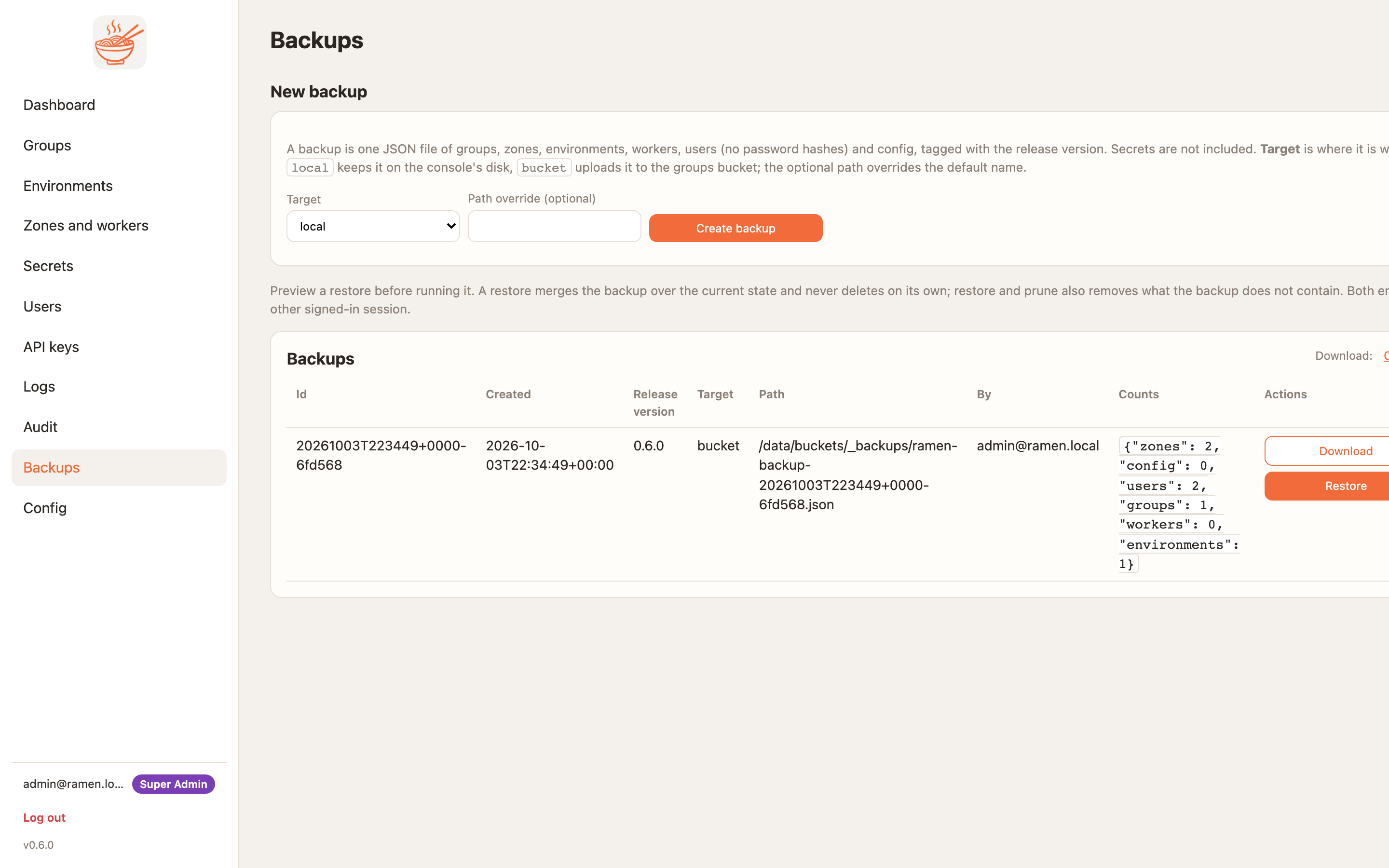
Create
Backups (super admins) → New backup → target local (the console's RAMEN_BACKUP_ROOT) or bucket
(the groups bucket, under _backups/).
Schedule it like anything else. A daily GitHub Actions job is ten lines:
on:
  schedule: [{cron: "17 3 * * *"}]
jobs:
  backup:
    runs-on: ubuntu-latest
    steps:
      - run: |
          curl -fsS -H "X-Ramen-Api-Key: $RMN" -H 'Content-Type: application/json' \
            -X POST "$CONSOLE/api/v1/backups" -d '{"target":"bucket"}'
        env: {RMN: "${{ secrets.RAMEN_API_KEY }}", CONSOLE: "${{ vars.RAMEN_CONSOLE }}"}
An export is a few hundred kilobytes for a console with tens of groups, so keeping a month of daily copies costs nothing. Ramen does not prune old backups; the bucket's own lifecycle rule is the place for that. The backup-restore skill does the same job for an agent operator.
Rehearse a restore before you need one: bring up a throwaway console with RAMEN_STORE=memory, restore the file
into it, and check the groups and people arrive. A backup you have never restored is a guess.
Restore
- Preview first. It prints what a restore would create, update and leave alone, and what the live store has that the backup does not. Nothing is written.
- Restore merges each backup document over the live one. Fields the backup never held, such as password hashes, are kept from the live document.
- Restore and prune also deletes what the backup does not contain.
configis never pruned and the account running the restore is never deleted. - Reconcile re-applies every restored zone so counts, sizes and image pins take effect in the cluster. A namespace the cloud still runs that the backup never knew about is listed as an orphan, never deleted.
| Flag | Default | Meaning |
|---|---|---|
dry_run |
false | plan only |
prune |
false | delete what the backup lacks |
reconcile |
false | re-apply restored zones in the cluster |
force |
false | accept a backup taken on a newer release |
What a restore does to people
Every restored user's session epoch is bumped, so everyone else is signed out at once. A user the store no longer had comes back unable to sign in until an admin resets the password or they sign in through a provider.
Moving between stores or clouds
Take a backup, bring the new console up with the new store settings (Configuration), restore
with reconcile, then re-add every secret, generate new MCP and API keys, and deploy each environment. Redeploy before expecting OAuth tokens to
verify: a restored group gets a new session secret on its next deploy.