Deploy your first group
From an empty console to a client calling a tool, with every page you will see. It works the same on the local
stack and on GCP, AWS or Azure; only the addresses and zone locations change. You need a running install:
make up locally (Get started) or one of GCP, AWS,
Azure. The group repo is the demo,
ramen-demo-mcp-group: tools, a resource, prompts, an MCP App, two
skills, golden cases, guardrails, evals and LLM configs (what each one is).
The screenshots come from make shots, a throwaway console seeded with fictional data whose evals and scan Jobs are
canned; phoenix-demo.png and promptfoo-run.png are from the live GKE run. New to Ramen? Try the demo
on your laptop first.
1. Sign in
Open the console's address and sign in as admin@ramen.local with the password you generated
(grep RAMEN_ADMIN_PASSWORD deploy/local/.env locally).
2. Optional: the engines and an LLM provider (super admin)
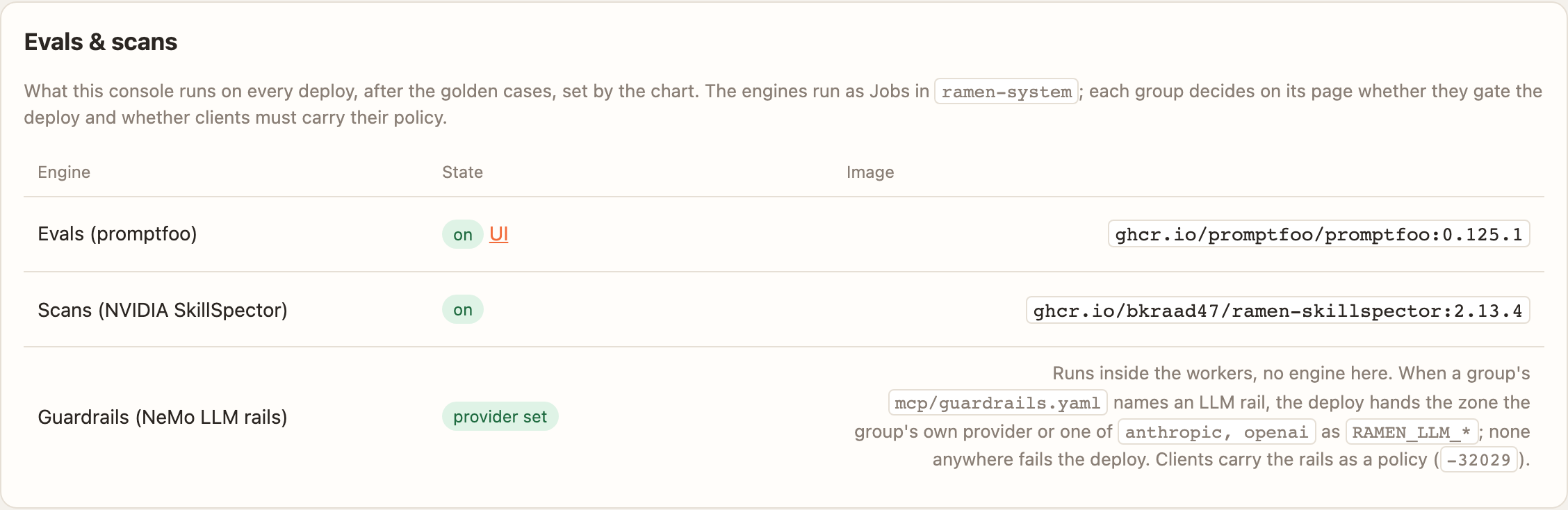
Three engines are optional at install (Terraform otel_collector, evals_engine, skillspector_engine; compose
make up ENGINES=phoenix,promptfoo). With them on, the Config page names them:
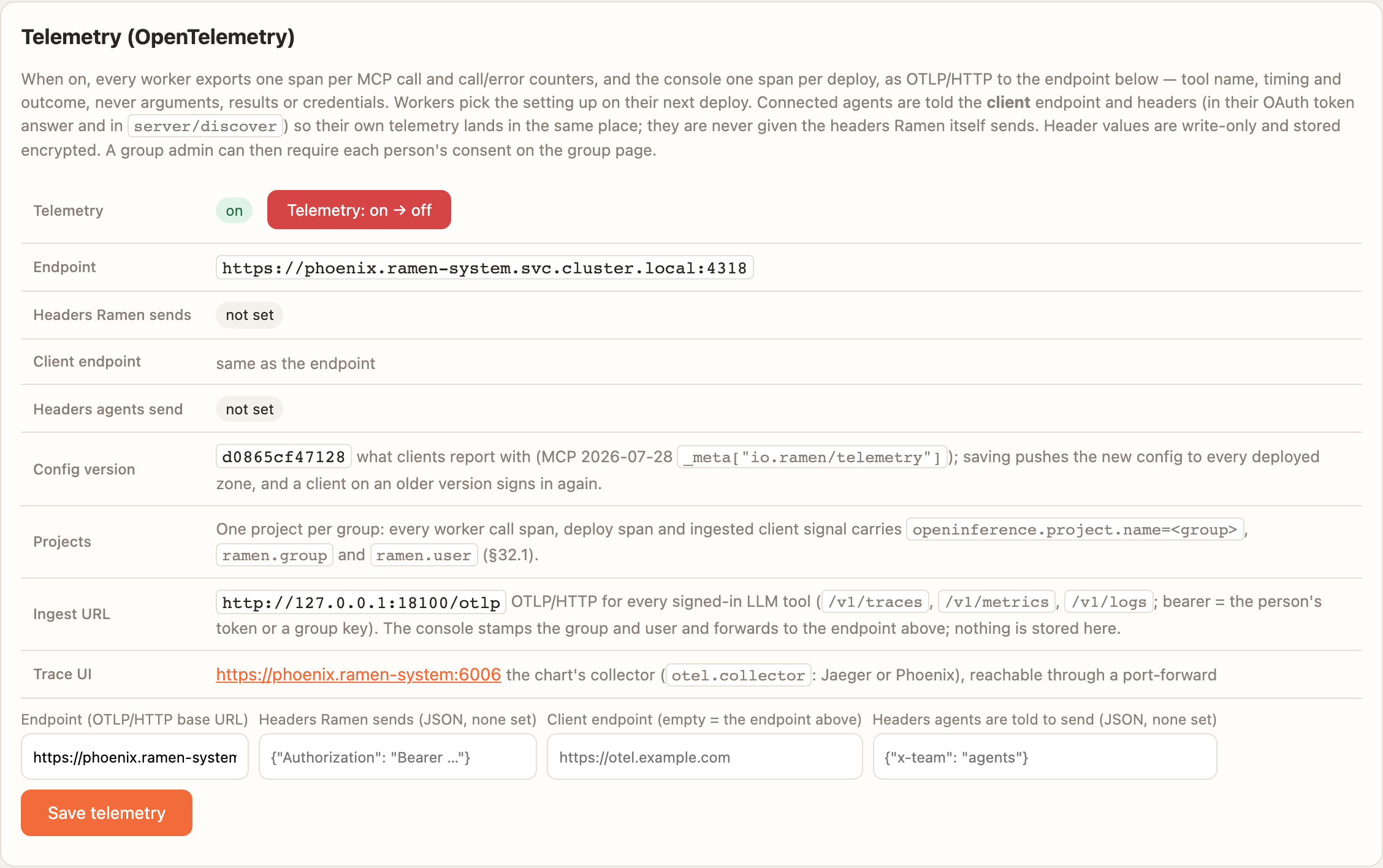
Point Config → Telemetry at the chart's collector (https://phoenix.ramen-system.svc.cluster.local:4318 with
otel.collector=phoenix). Every group becomes one Phoenix project and every span names the user:
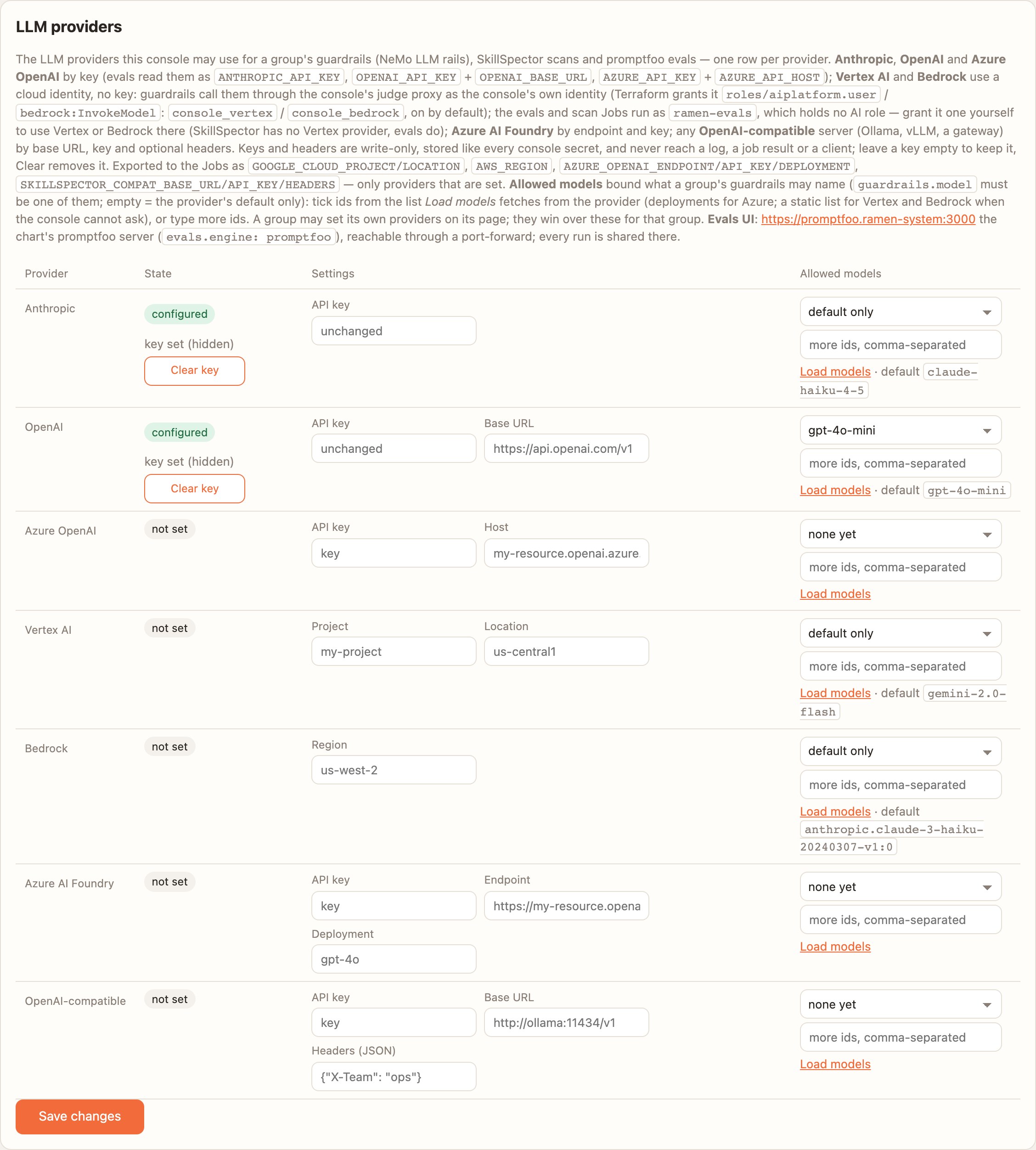
LLM rails, LLM-graded evals and SkillSpector's semantic analysis need a provider. Add a key on Config → LLM providers and tick the models groups may use; keys are write-only and never leave the console (workers and the bridge call its judge proxy). The demo's own evals and static rails need none.
3. Create the group
Groups → Create group: name demo, repo https://github.com/bkraad47/ramen-demo-mcp-group, ref main. A private
repo needs a secret named GITHUB_TOKEN on the group. The group page is empty until something is deployed.
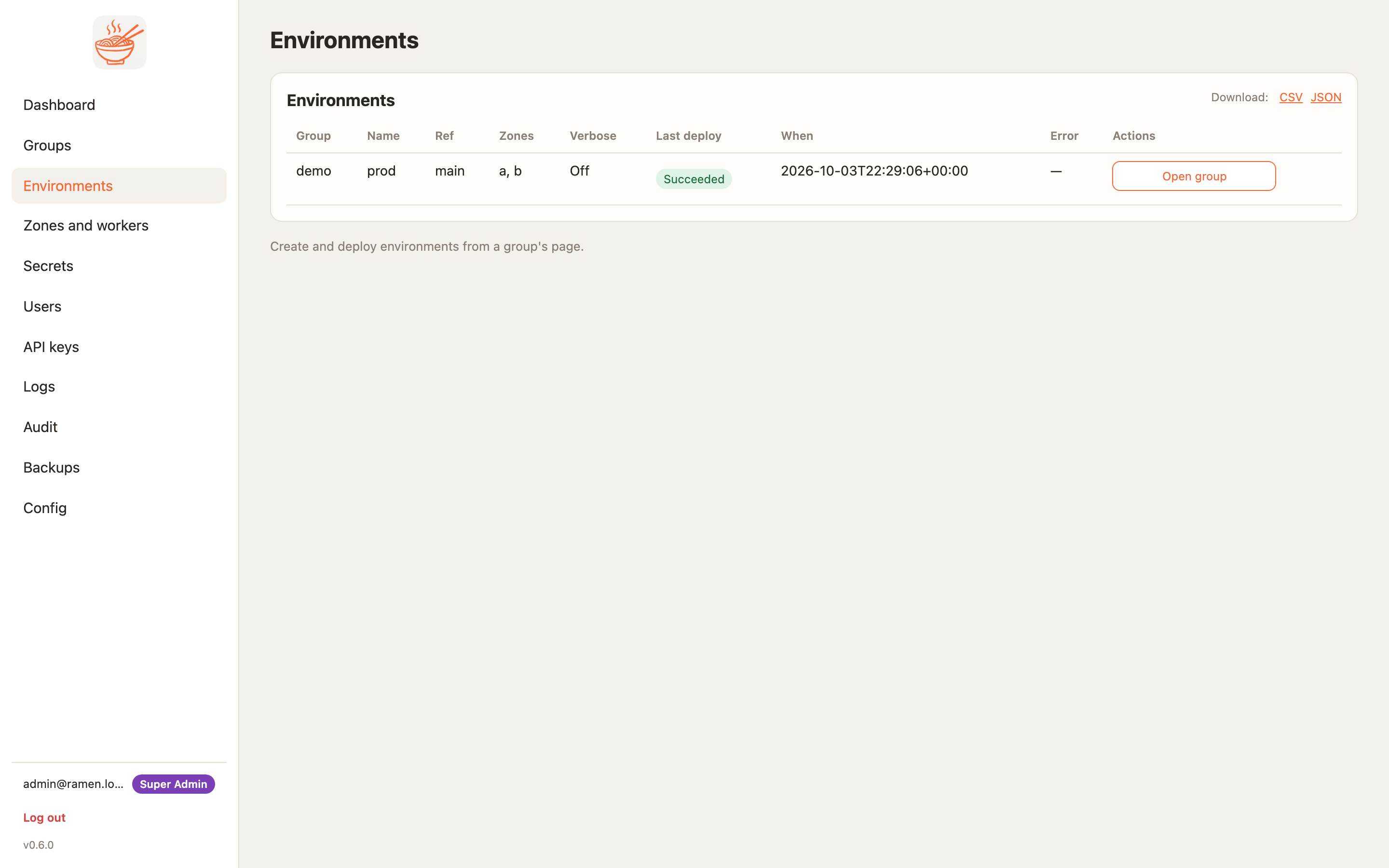
4. An environment and a zone
On Environments, Zones and Workers:
- New environment: name
prod, refmain, tick groupdemo. - New zone: name
a, tick environmentprod, pick a location — locally free text, on a cloud a zone of a region that has a cluster (the home region, or a satellite).
Saving the zone binds it to the group and starts the first canary deploy at once: a namespace ramen-demo-a, the
zone's own cloud identity, a route matching the headers ramen-group: demo and ramen-zone: a.
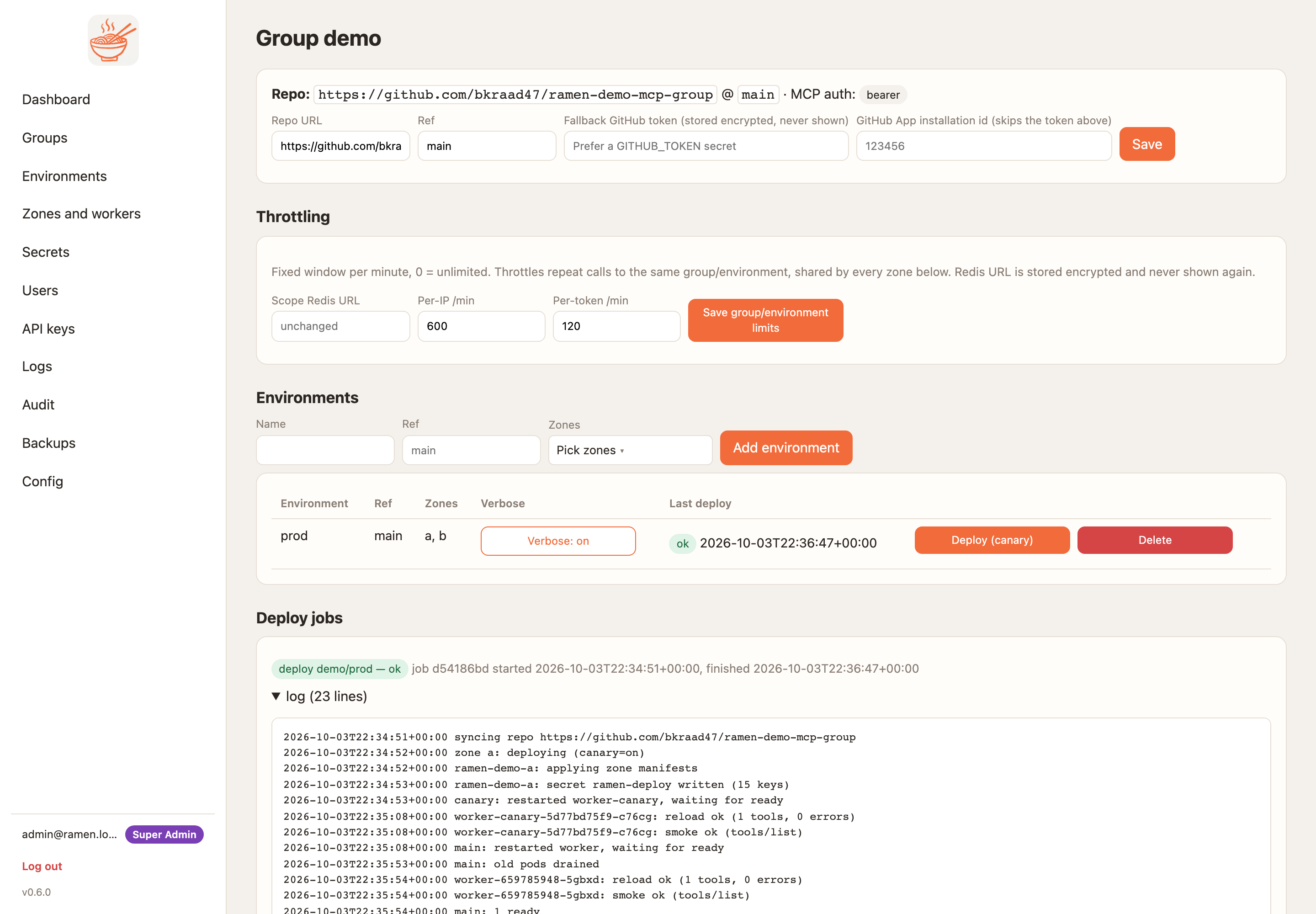
5. Watch the deploy
The job is on the group page. Its log reads: sync the repo to the bucket, (on a cloud with the builder) build the
group's image from mcp/requirements.txt, canary, reload, smoke, golden cases, evals, scan, stable. A failure at
any step before stable leaves the old version serving.
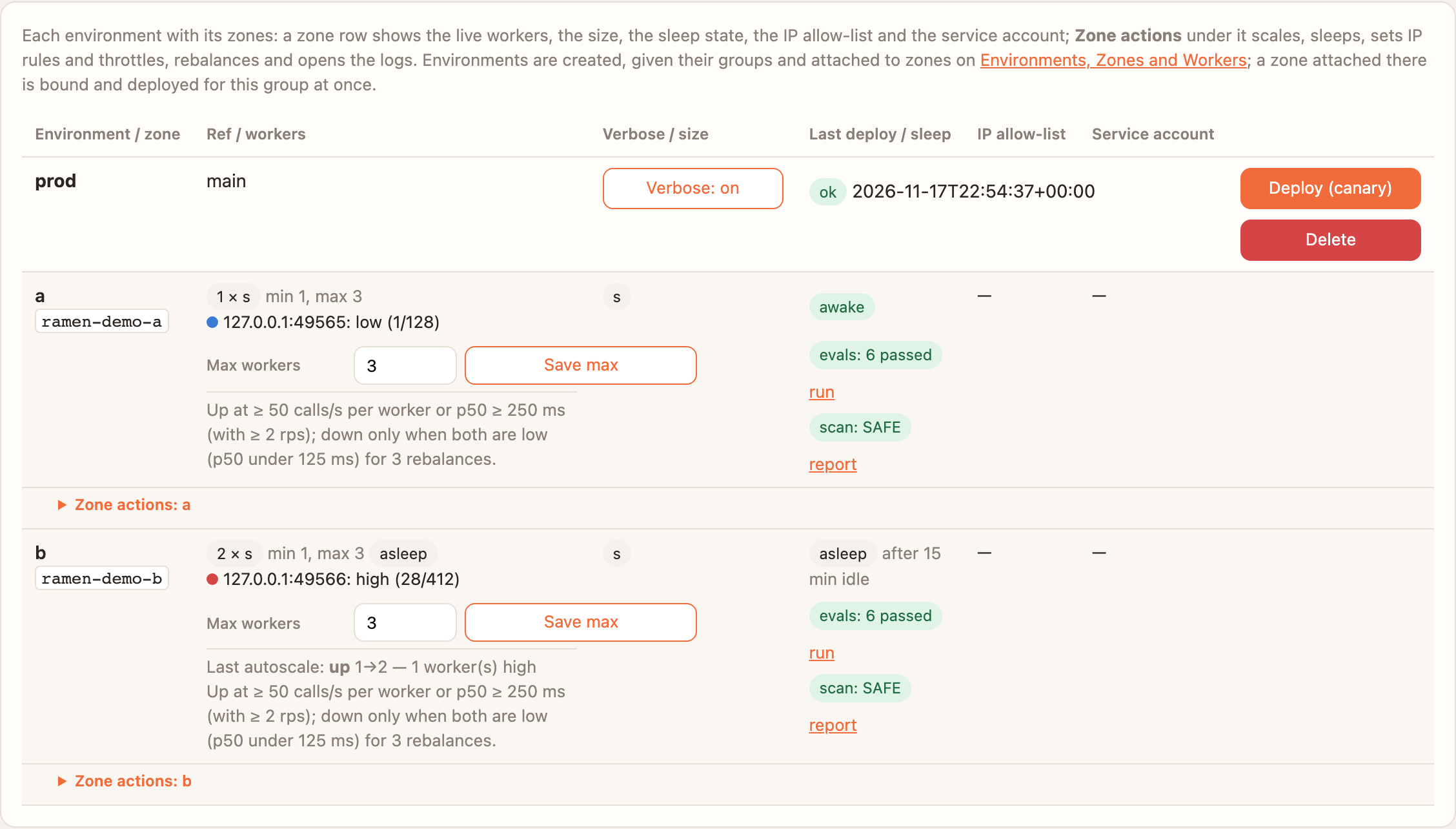
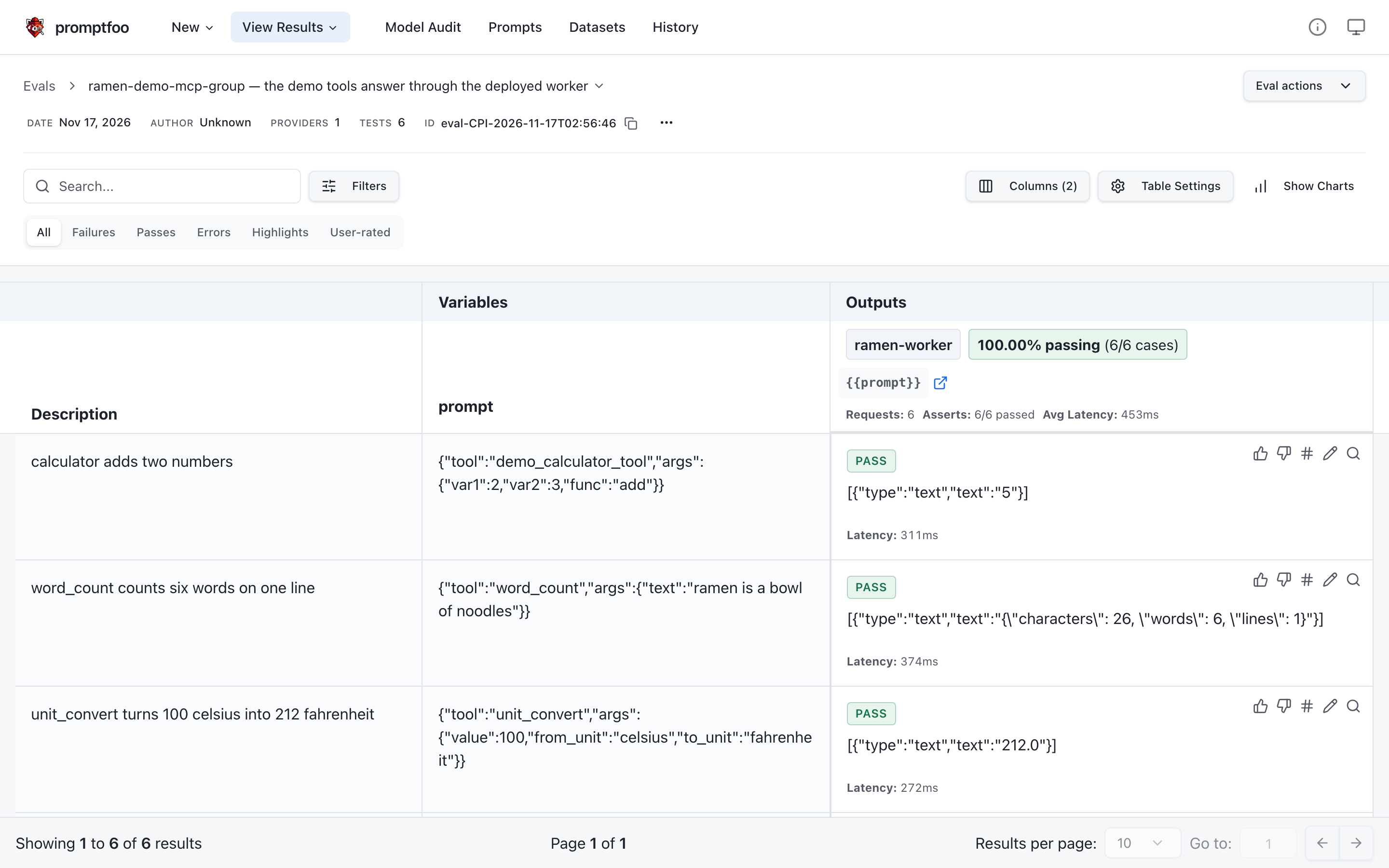
Each zone row then carries the deploy's results: evals: 6 passed (linked to the run page in the console) and
scan: SAFE (linked to the report).
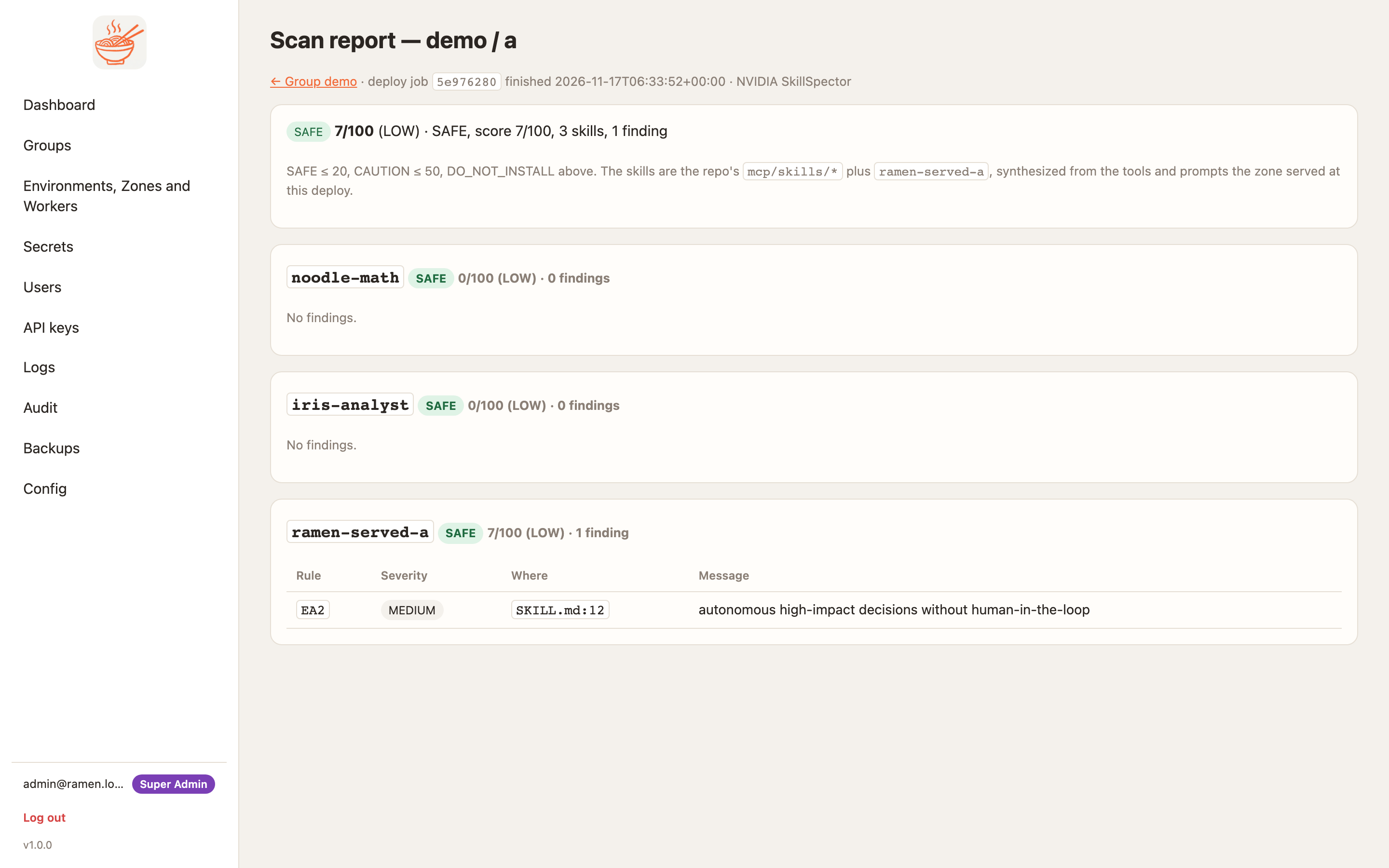
mcp/skills/* and the skill synthesized from what the zone serves.View the run in promptfoo
The evals badge opens the run in the console: every case with what it sent, what came back and why it failed. With
evals.engine: promptfoo, the same run is also in the chart's promptfoo server, which has its own UI (it shows every
group's runs, so it is never routed through the edge). Open it through a port-forward to its TLS front, which asks
for user admin and the install's engines password (a super admin with cluster access reads it):
kubectl -n ramen-system port-forward deploy/promptfoo 3443:3443
# then https://localhost:3443/eval/<run>  — <run> is the promptfoo id the console's run page names
kubectl -n ramen-system get secret ramen-engines -o jsonpath='{.data.password}' | base64 -d; echo
promptfoo serves HTTPS signed by the install CA, like Phoenix: accept the browser's warning once, or trust the CA (Trust the install CA and enforce HTTPS). Its plaintext port never leaves the pod.
6. Decide what the group enforces
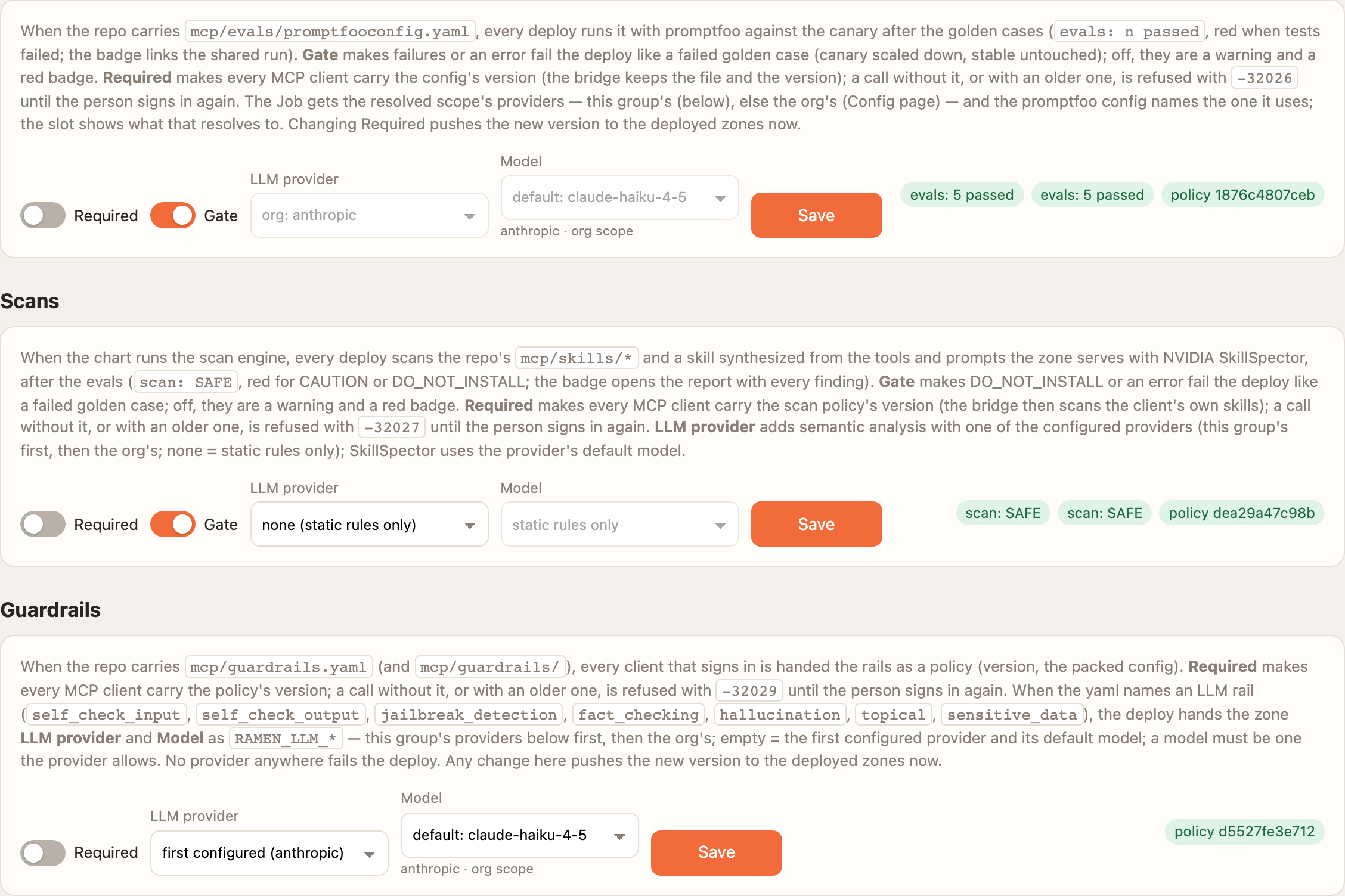
The Evals, Scans and Guardrails cards (group admins) set, per policy, Gate (a failure stops the deploy) and
Required (every client must carry the policy's version, or the worker refuses its calls with -32026, -32027,
-32029), and the LLM provider and model the policy uses. A change pushes the new version to the deployed zones
without a deploy.
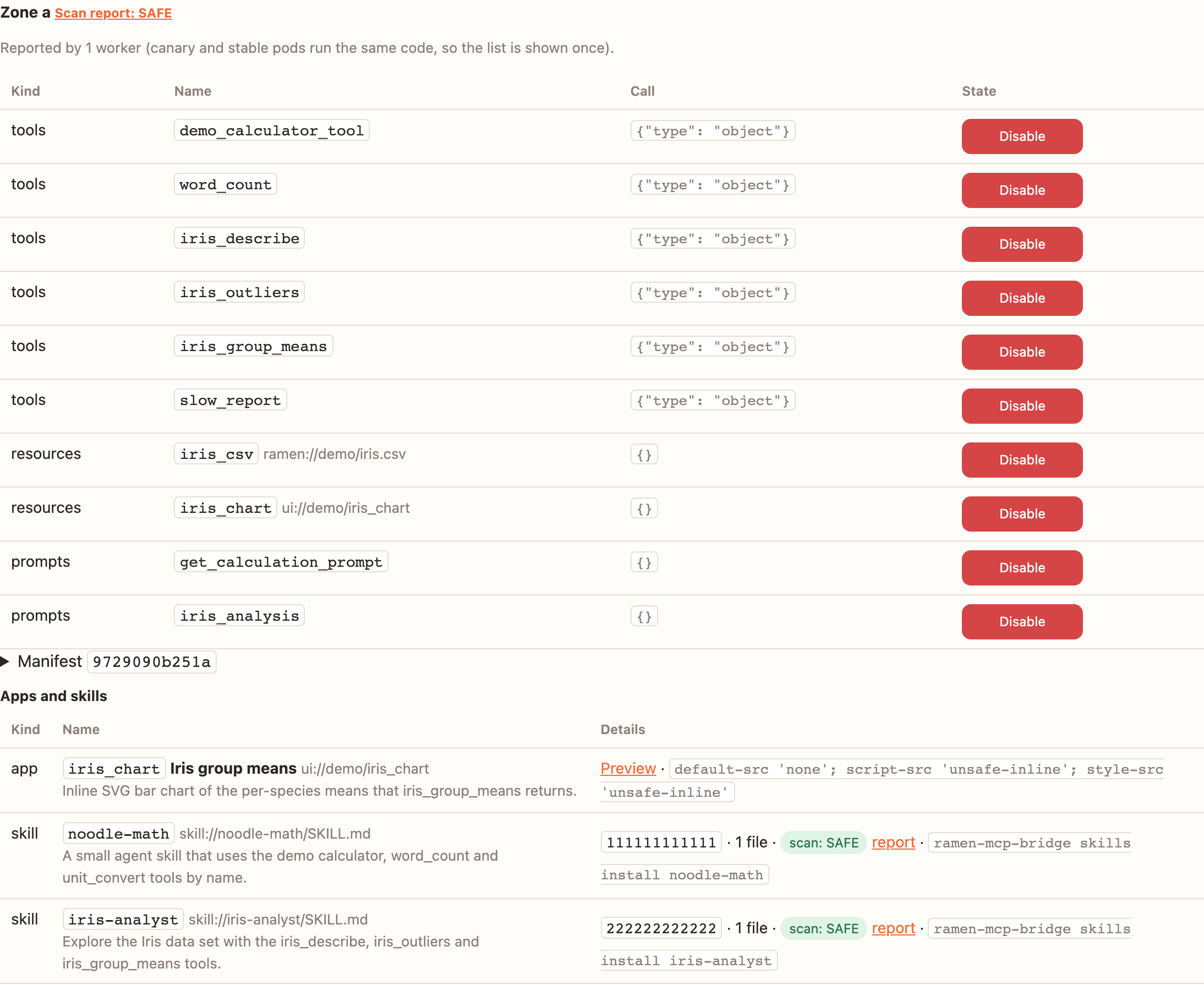
The Packages card lists what each zone serves, its apps and skills (with each skill's scan verdict); Preview opens an app in a sandbox.
7. Accept the LLM configs, then make a key
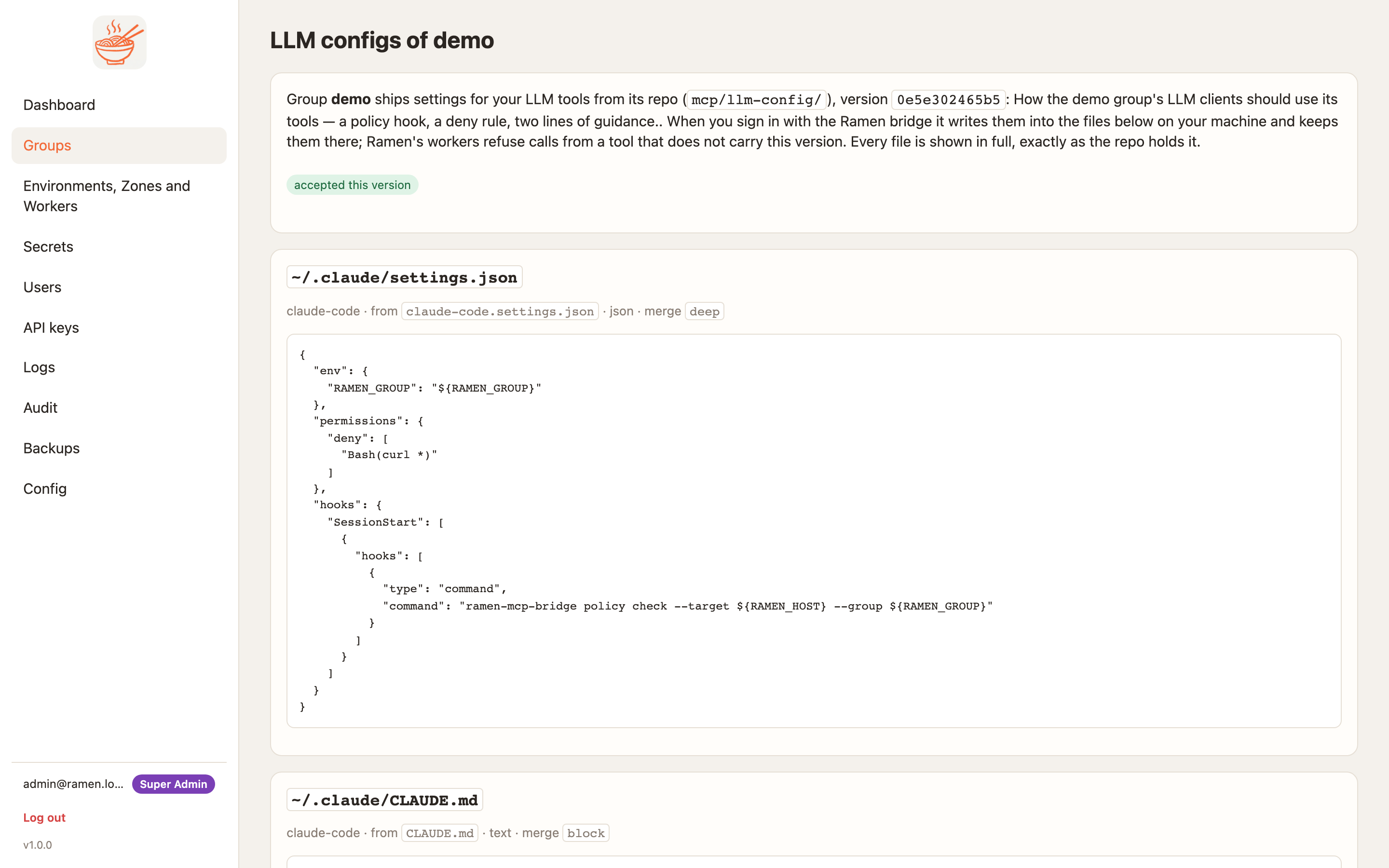
The demo repo ships mcp/llm-config/, so every person accepts its files once per version before the console hands
out a token or a key — the admin who mints a group key too. Open /groups/demo/configs (the console sends you
there when it is needed), read the files and accept.
Then Group → MCP auth keys → Generate key. The key is shown once. The console pushes it to the group's running workers (1.0.0, D92), so no deploy is needed; on a cluster the zone's workers restart to take it, so wait until calls are accepted in a row (15–60 s in the release runs) before you rely on it, or revoke the key it replaces.
8. Call a tool
Because the group requires its configs, every call carries the version (bridge 1.0.0 does this by itself). Read it from the public policy and call:
CONSOLE=https://<console address>; EDGE=$CONSOLE   # local stack: CONSOLE=https://localhost:8443, EDGE=https://localhost:8080 (curl --cacert deploy/local/.certs/ca/ca.crt)
V=$(curl -s "$CONSOLE/.well-known/ramen-policy?group=demo&zone=a" | python3 -c 'import sys,json;print(json.load(sys.stdin)["configs"]["version"])')
curl -s $EDGE/mcp -H "Authorization: Bearer $RAMEN_MCP_KEY" -H 'Content-Type: application/json' \
  -H 'Accept: application/json' -H 'ramen-group: demo' -H 'ramen-zone: a' \
  -d '{"jsonrpc":"2.0","id":1,"method":"tools/call","params":{"name":"demo_calculator_tool",
       "arguments":{"var1":2,"var2":3,"func":"add"},"_meta":{"io.ramen/configs":{"version":"'"$V"'"}}}}'
Without the version the worker answers -32028 configs required. scripts/cloud_smoke.sh runs the whole path
(accept, key, deploy, call) and prints PASS or FAIL per step.
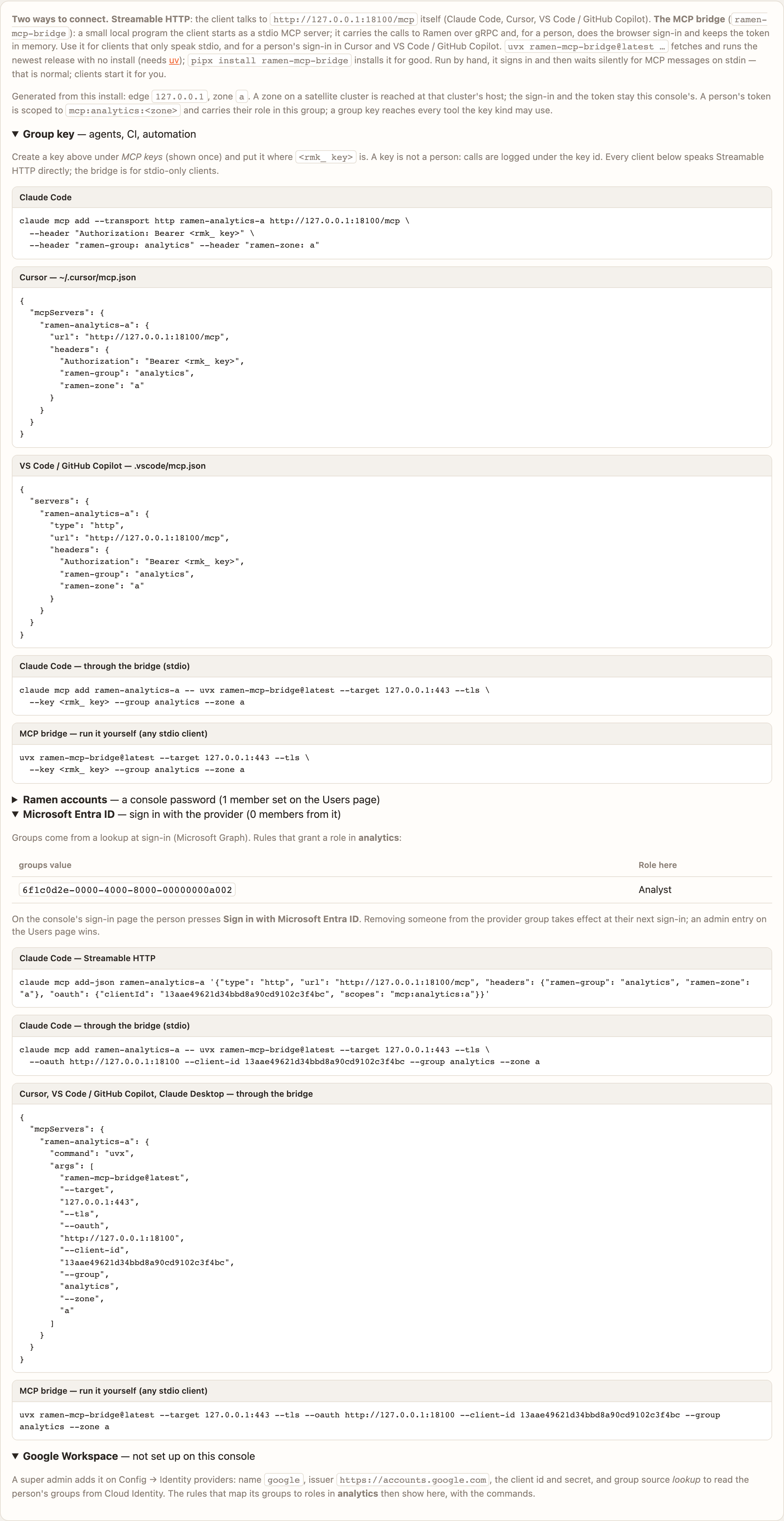
For people, the group page's How MCP users sign in card prints the exact commands for this install — Claude Code
over HTTP with OAuth, or the bridge (ramen-mcp-bridge) for Cursor, VS Code and Claude Desktop, which signs in,
keeps the policy bundle, writes the accepted configs and carries every version on every call
(Connect a client with OAuth).
9. See it in Phoenix
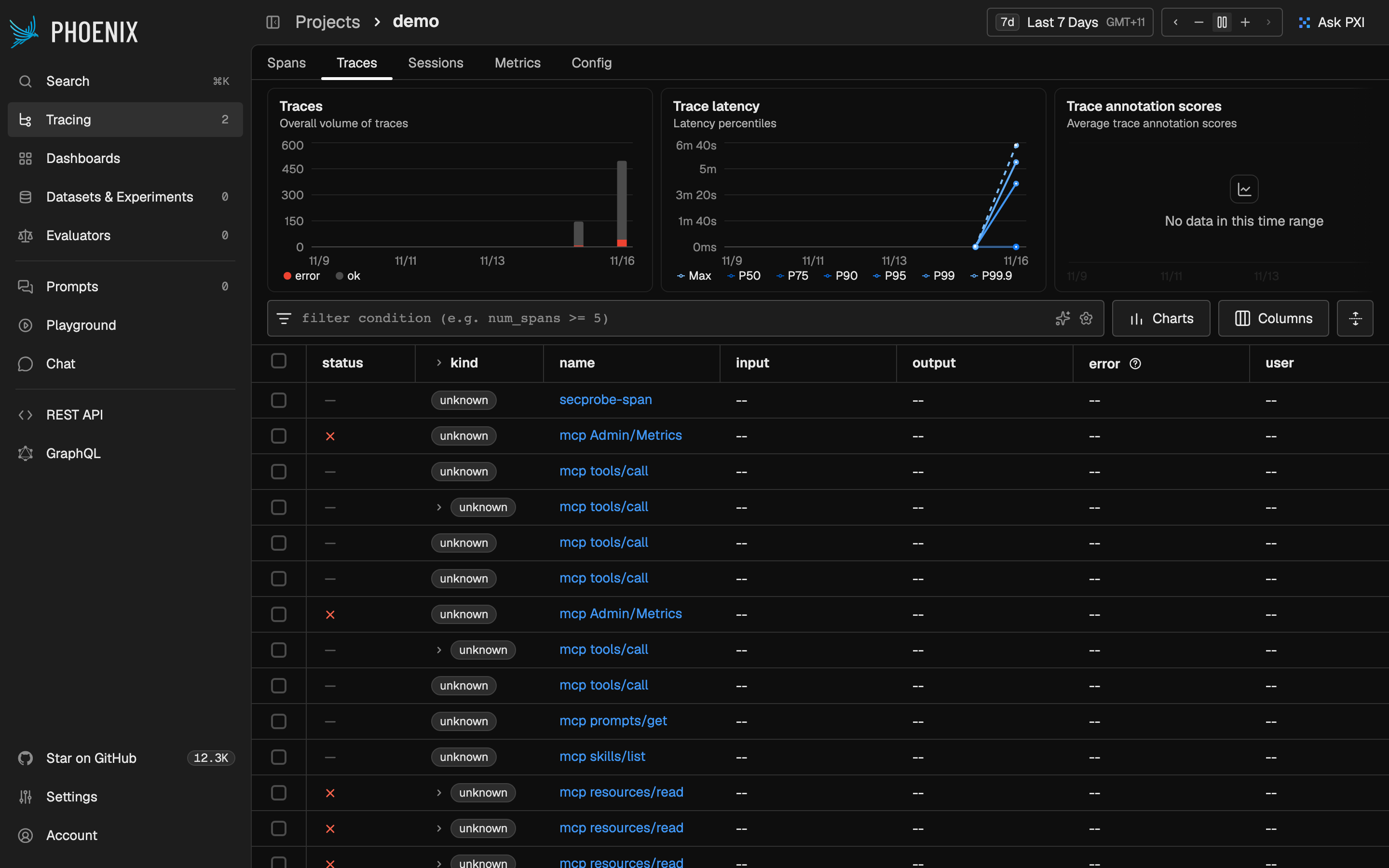
With otel.collector=phoenix, port-forward the UI (kubectl -n ramen-system port-forward svc/phoenix 6006:6006, then
https://localhost:6006 — the same install CA as promptfoo; sign in as admin@localhost with the same engines password)
and open project demo: one trace per Ramen call, ramen.user on every span, and the client's own telemetry next to it
when the bridge wrote the OTel settings.
demo (live GKE run).Next
Your own repo: copy the demo's layout (MCP features, The MCP repo). More zones and regions: Groups, zones and regions. Who may do what: Roles.