Local quickstart¶
Runs the whole system on one machine with docker compose: a Firestore emulator, the console, and one worker
(group demo, zone local). Needs Docker with compose v2, uv, git, make. First run builds two
images (~3–5 min); later runs take seconds.
1. Start¶
make up copies deploy/local/.env.example to .env (once) and runs docker compose up -d --build.
| Service | Address | Notes |
|---|---|---|
| Console | https://localhost:8443 | self-signed certificate — accept the browser warning (curl -k) |
| Worker (MCP, gRPC) | localhost:8080 (h2c, no TLS) | grpc.health.v1.Health/Check is NOT_SERVING until the first deploy loads code, then SERVING |
| Firestore emulator | http://localhost:8081 | state persists in the compose volume until make down |
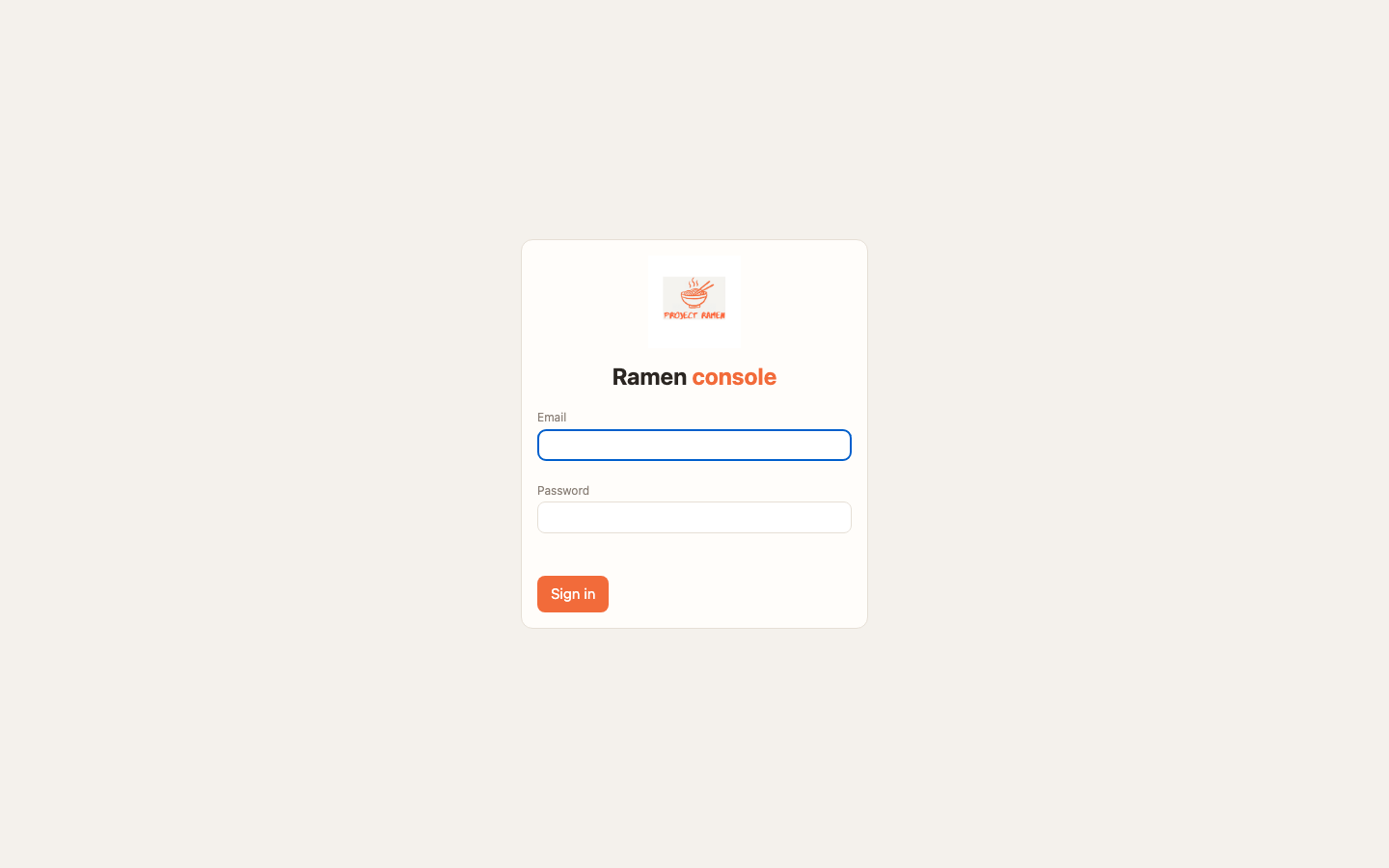
Login: admin@ramen.local / changeme-ramen (from deploy/local/.env; change them there before exposing the stack).
No HTTP endpoint on the worker since 0.3.1
http://localhost:8080/mcp, /healthz, /readyz and /metrics are gone. The worker speaks JSON-RPC 2.0 over
gRPC (ramen.v1.Mcp/Call); standard MCP clients use ramen-mcp-bridge. Migration note.
2. Run the demo (creates data and proves the path)¶
Expected tail of the output (about 20–40 s after the stack is up; the first deploy pip-installs the demo repo's requirements):login: 303
{"id":"local","name":"local", ...} # zone, group, environment created (or "... exists" on a re-run)
health: SERVING localhost:8080
tools: ['demo_calculator_tool']
demo_calculator_tool({"var1": 2, "var2": 3, "func": "add"}) -> 5
PASS: demo_calculator_tool(2,3,add) -> 5
PASS: line is the success marker. make demo is safe to re-run: existing zone/group/environment answer
... exists and a fresh MCP key is minted each time.
What it did, through the console API: POST /api/v1/zones {local} → POST /api/v1/groups {demo, repo_url}
→ POST /api/v1/groups/demo/environments {dev, zones:[local]} → POST /api/v1/groups/demo/mcp-keys (an
rmk_ key) → POST .../environments/dev/deploy → poll the job → call the tool with the official mcp stdio
client through ramen-mcp-bridge (deploy/local/mcp_call.py).
You do not need to add zones or groups by hand locally
The GCP/AWS guides ask you to create a zone and a group in the console. Locally make demo has already done
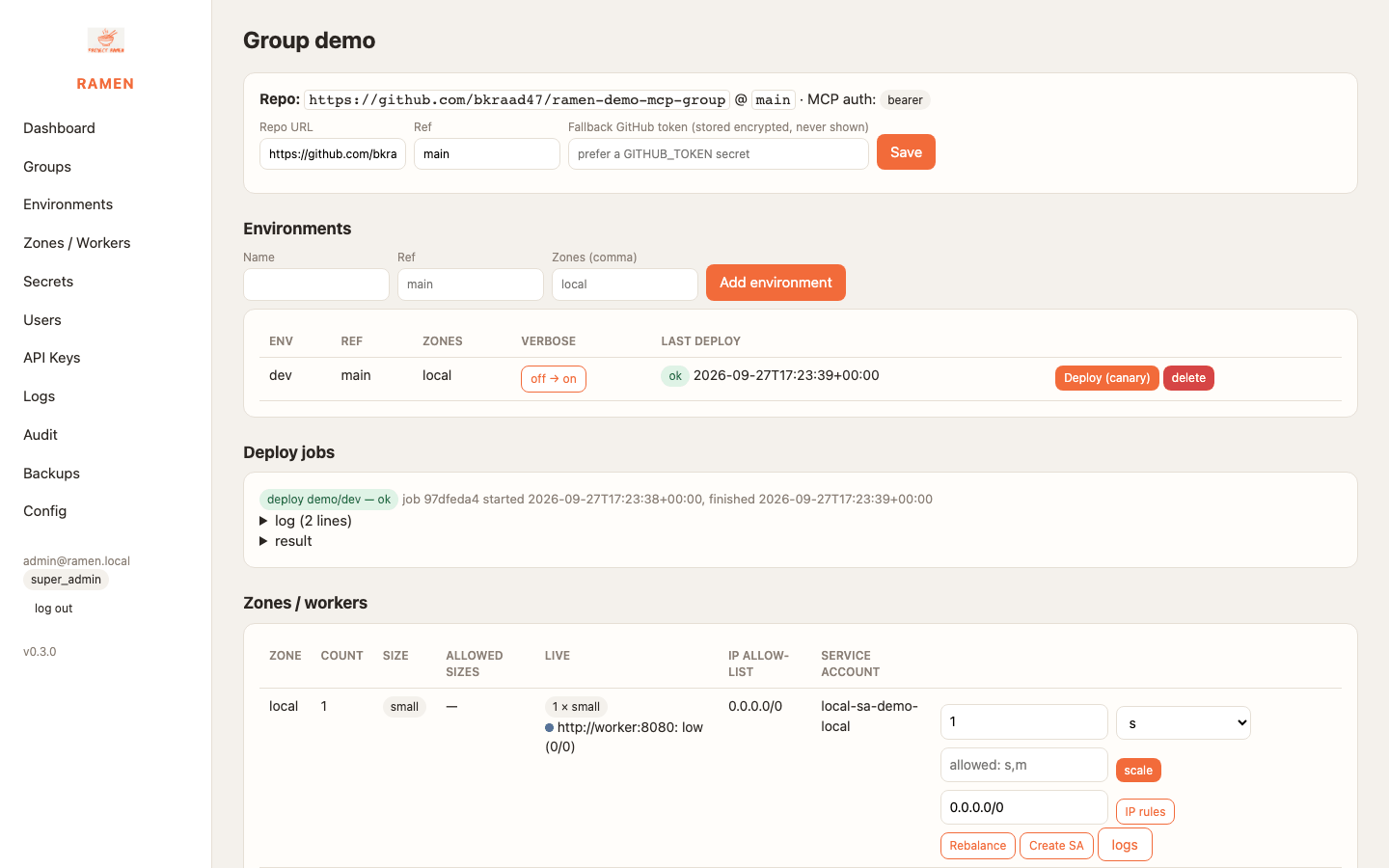
that; the console shows zone local and group demo on first login.
3. Mint a key¶
The worker only accepts rmk_ MCP keys minted for the group (RAMEN_MCP_KEYS in .env is a dev fallback that
the compose stack also honours, default local-mcp-key). Mint one:
Groups → demo → MCP auth keys → enter a name → Mint MCP key. The key is shown once. Then click Deploy (canary) on the environment so the key reaches the worker.
curl -sk -c c.txt -X POST https://localhost:8443/login -d email=admin@ramen.local -d password=changeme-ramen -o /dev/null
CSRF="X-Ramen-CSRF: $(awk '$6=="ramen_csrf"{print $7}' c.txt)"   # cookie sessions must echo the CSRF token
KEY=$(curl -sk -b c.txt -H "$CSRF" -H 'Content-Type: application/json' -X POST https://localhost:8443/api/v1/groups/demo/mcp-keys \
  -d '{"name":"laptop"}' | python3 -c 'import sys,json;print(json.load(sys.stdin)["key"])')
curl -sk -b c.txt -H "$CSRF" -H 'Content-Type: application/json' -X POST https://localhost:8443/api/v1/groups/demo/environments/dev/deploy -d '{"canary":true}'
echo "$KEY"    # rmk_<id>_<secret>
4. Call the worker with the bridge (Claude Desktop, Cursor, the mcp SDK)¶
ramen-mcp-bridge is a stdio MCP server that forwards every JSON-RPC message to the worker's Mcp/Call and sends
the key and the routing metadata for you. Install it once (it is the console script of ramen-runtime[grpc];
the worker image has it too):
uv tool install './runtime-py[grpc]'          # → ~/.local/bin/ramen-mcp-bridge
ramen-mcp-bridge --target localhost:8080 --insecure --key "$KEY" --group demo --zone local
# stdin/stdout is now an MCP server; Ctrl-C to stop. --insecure = plaintext h2c (local only); use --tls [--ca <pem>] against a load balancer.
deploy/local/mcp-client-config.example.json is the ready-made mcpServers entry:
{
  "mcpServers": {
    "ramen-demo": {
      "command": "ramen-mcp-bridge",
      "args": ["--target", "localhost:8080", "--insecure", "--key", "rmk_…", "--group", "demo", "--zone", "local"]
    }
  }
}
claude_desktop_config.json), paste, restart; the
demo_calculator_tool shows up under the server's tools.
import asyncio
from mcp import ClientSession, StdioServerParameters
from mcp.client.stdio import stdio_client

params = StdioServerParameters(command="ramen-mcp-bridge", args=[
    "--target", "localhost:8080", "--insecure", "--key", "rmk_…", "--group", "demo", "--zone", "local"])

async def main():
    async with stdio_client(params) as (r, w), ClientSession(r, w) as s:
        await s.initialize()
        print([t.name for t in (await s.list_tools()).tools])
        res = await s.call_tool("demo_calculator_tool", {"var1": 2, "var2": 3, "func": "add"})
        print(res.content[0].text)   # 5

asyncio.run(main())
deploy/local/mcp_call.py does.
5. Call the worker raw with grpcurl¶
One JSON-RPC message per ramen.v1.Mcp/Call; the body field is bytes, so grpcurl wants it base64-encoded
(brew install grpcurl / releases). Run from the repo root
so -proto finds proto/ramen/v1/mcp.proto:
REQ=$(printf '%s' '{"jsonrpc":"2.0","id":1,"method":"tools/call","params":{"name":"demo_calculator_tool","arguments":{"var1":2,"var2":3,"func":"add"}}}' | base64)
grpcurl -plaintext -import-path proto -proto ramen/v1/mcp.proto \
  -H "authorization: Bearer $KEY" -H 'ramen-group: demo' -H 'ramen-zone: local' \
  -d "{\"body\":\"$REQ\"}" localhost:8080 ramen.v1.Mcp/Call | python3 -c 'import sys,json,base64;print(base64.b64decode(json.load(sys.stdin)["body"]).decode())'
# {"jsonrpc":"2.0","id":1,"result":{"content":[{"type":"text","text":"5"}],"isError":false}}

# tools/list, and the health check (no key needed)
REQ=$(printf '%s' '{"jsonrpc":"2.0","id":2,"method":"tools/list"}' | base64)
grpcurl -plaintext -import-path proto -proto ramen/v1/mcp.proto -H "authorization: Bearer $KEY" -d "{\"body\":\"$REQ\"}" localhost:8080 ramen.v1.Mcp/Call
grpc_health_probe -addr localhost:8080          # status: SERVING   (github.com/grpc-ecosystem/grpc-health-probe)
Unauthenticated (code 16); from a source outside
RAMEN_ALLOWED_CIDRS with PermissionDenied (7); a blocked tool still answers inside the body with JSON-RPC
-32601. The ramen-group / ramen-zone headers are ignored by a single local worker but are what the cloud load
balancer routes on, so keep them in every client config.
rmk_ vs rmn_ — two different keys¶
rmk_… MCP key |
rmn_… API key |
|
|---|---|---|
| Minted at | group page → MCP auth keys, or POST /api/v1/groups/{g}/mcp-keys |
API Keys page, or POST /api/v1/api-keys |
| Sent as | gRPC metadata authorization: Bearer rmk_… to a worker (the bridge's --key) |
X-Ramen-Api-Key: rmn_… to the console /api/v1/* (HTTP) |
| Scope | one group; reaches every worker of that group on the next deploy | a console role (+ groups) never wider than the creator's |
| Use for | Claude Desktop, Cursor, agents, grpcurl to tools |
CI deploys, rotation, backups, scripting the console |
The API Keys page is not where worker keys come from. See DevOps with the API.
6. Look around¶
- Dashboard
/— load per zone × group (fromAdmin/Metrics); Refresh discovery re-reads the adapter. - Groups → demo — repo/ref, environments with Deploy (canary), deploy jobs with streamed logs, zones/workers (scale, IP rules, rebalance, logs), loaded packages, MCP keys, SA restrictions.
- Secrets — add
{"name","value","env?","zone?"}; values are never shown again. Reference as{{$demo.NAME}}. - Logs — one JSON line per MCP call (
ts, ip, group, method, name, status, grpc_code, ms, key_id); download gets the file. - Audit — every mutation with user, IP, action, target, ok.
- Config
/config— auth toggles (password login, magic link), OAuth providers, SMTP, SA rules, permission catalogue. - API docs —
https://localhost:8443/api/docs(OpenAPI).
7. Try the v0.3.0 controls (API, cookie session + CSRF header from §3)¶
# block a tool for the environment, redeploy, and watch tools/list hide it (calls answer -32601); unblock the same way
curl -sk -b c.txt -H "$CSRF" -H 'Content-Type: application/json' -X PUT https://localhost:8443/api/v1/groups/demo/environments/dev/blocked -d '{"blocked":["demo_calculator_tool"]}'
curl -sk -b c.txt -H "$CSRF" -H 'Content-Type: application/json' -X POST https://localhost:8443/api/v1/groups/demo/environments/dev/deploy -d '{"canary":true}'
curl -sk -b c.txt -H "$CSRF" -H 'Content-Type: application/json' -X PUT https://localhost:8443/api/v1/groups/demo/environments/dev/blocked -d '{"blocked":[]}'
# auth settings (super admin). Disabling password login needs another way in first (magic link, OAuth, or RAMEN_ADMIN_FORCE_PASSWORD=1) or you get 422.
curl -sk -b c.txt https://localhost:8443/api/v1/config/auth
curl -sk -b c.txt -H "$CSRF" -H 'Content-Type: application/json' -X PUT https://localhost:8443/api/v1/config/auth -d '{"magic_link":true}'
curl -sk -b c.txt -H "$CSRF" -H 'Content-Type: application/json' -X PUT https://localhost:8443/api/v1/config/auth -d '{"password_login":false}'
curl -sk -b c.txt -H "$CSRF" -H 'Content-Type: application/json' -X PUT https://localhost:8443/api/v1/config/auth -d '{"password_login":true,"magic_link":false}'
make down (which discards the Firestore emulator) invalidates every key; mint again after a fresh make up.
8. Your own group repo¶
- Copy the layout from Protos (or fork the demo repo).
- Console → Groups → Add group with your repo URL and ref. Private repo: add a secret named
GITHUB_TOKEN. - Add an environment with zone
local, mint an MCP key, Deploy. Errors per package show up in the job.
9. Stop, reset, troubleshoot¶
make down                    # stop + delete volumes (Firestore data, buckets)
make logs                    # follow all containers
docker compose -f deploy/local/docker-compose.yml ps
curl: (60) SSL certificate problem | self-signed cert on the console: use -k |
| MCP call → gRPC Unauthenticated (16) | key not minted, or minted but not deployed yet; run a deploy |
| MCP call → gRPC PermissionDenied (7) | source address outside RAMEN_ALLOWED_CIDRS (zone IP rules) |
| Health/Check → NOT_SERVING | no deploy has loaded code yet; make demo or click Deploy |
| Bridge exits at once / client shows no tools | wrong --target, missing --insecure against the plaintext local worker, or a --tls mismatch; run the bridge by hand in a terminal and read stderr |
| curl http://localhost:8080/mcp → connection reset / HTTP 4xx | the worker is gRPC-only since 0.3.1 — use the bridge or grpcurl |
| Deploy job error with pip output | mcp/requirements.txt failed to install; fix and redeploy |
| Old image versions in docker compose ps | deploy/local/.env pins VERSION; update it and make up |
Next: GCP · AWS (untested) · Secrets · Security · Migrate from 0.3.0